
Remix a project
Start a new app from a copy of an existing project with Hexby and your coding assistant.
Choose Remix to build a new app from an existing project's code and design system. Hexby makes a separate copy for the new app. Choose Iterate when you want to keep working in the original project.
Start a remix
-
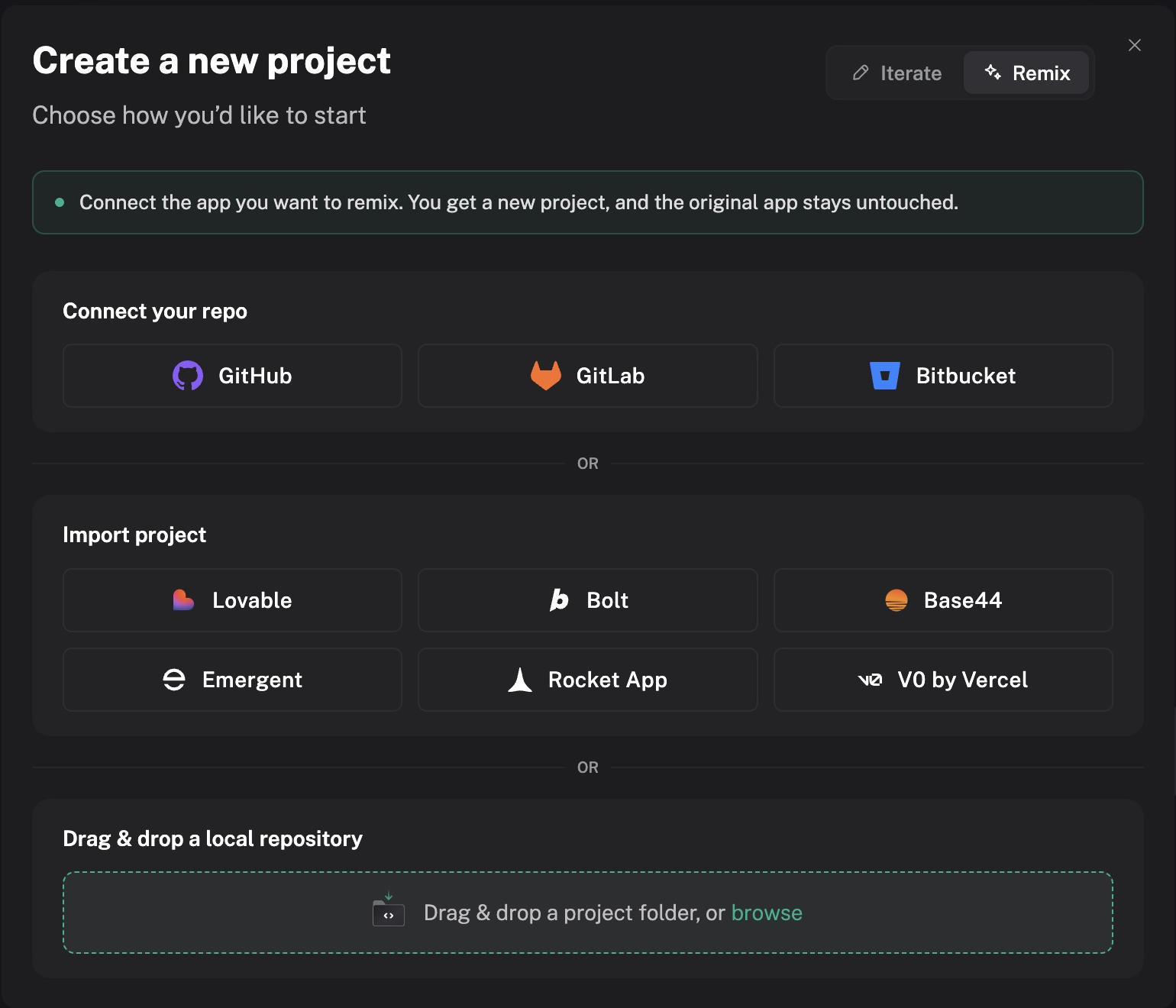
In the project picker, choose New Project, then select Remix.
-
Choose a source:
Choose or drop a folder, name the new project, then choose Continue.
Hexby prompts you to connect a coding assistant if one is not connected.
What gets copied from a local folder?
From a Git folder, tracked edits and unignored new files are copied as they are on disk; Git-ignored files are skipped. Without Git, all files except.gitandnode_modulesare copied. Check for secrets before choosing the folder. -
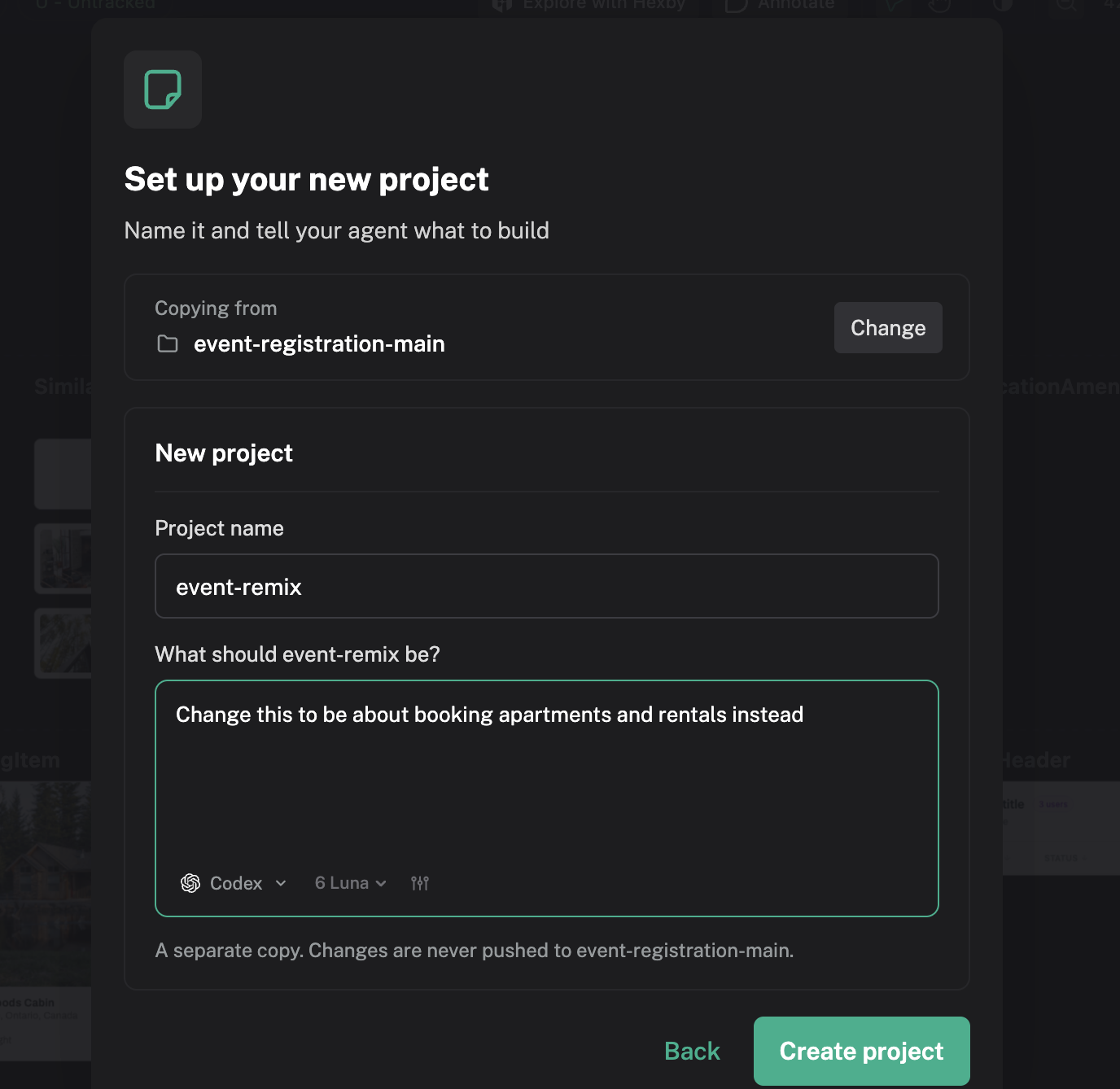
On Set up your new project, review the project name, describe what you want the assistant to build, choose an assistant and model, then choose Create project.
-
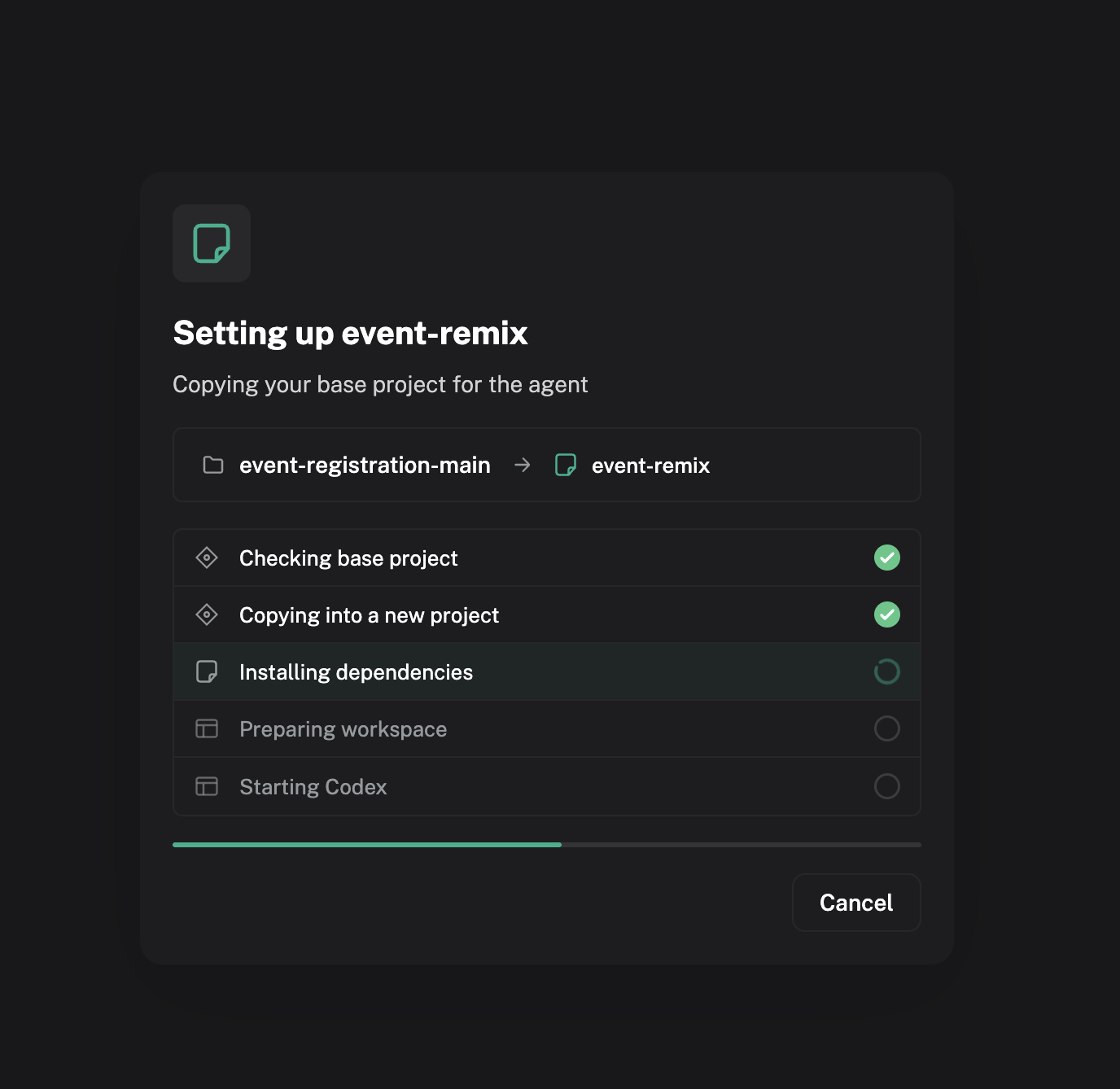
Hexby shows progress as it checks the base project, copies it, installs dependencies, prepares the workspace, and starts your assistant.
-
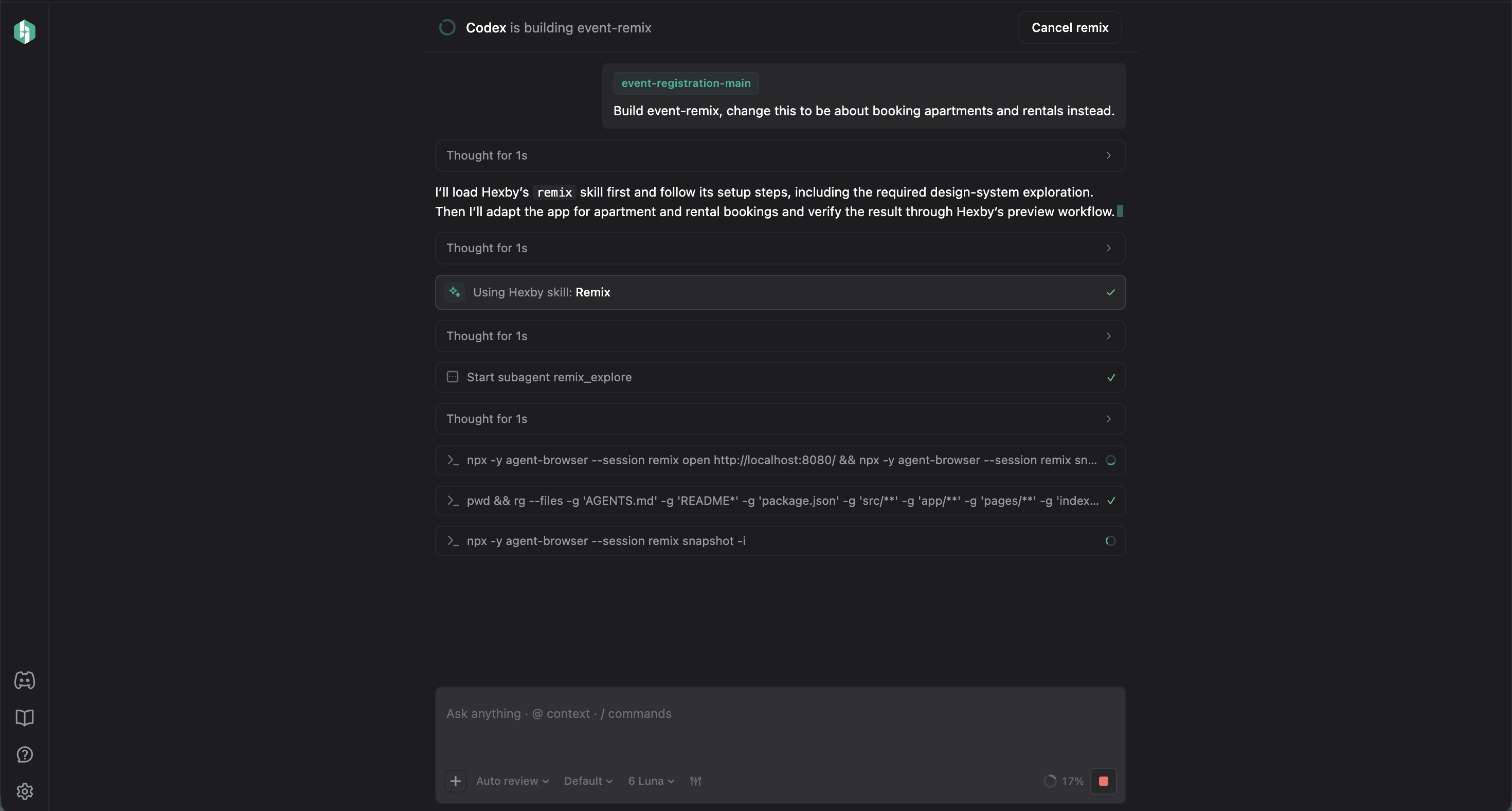
Hexby opens the project chat while your assistant builds the copy. Follow its progress and actions there. When the assistant finishes, Hexby opens the project canvas. The Product tour introduces its main areas.
Your original project stays untouched
Remix creates a separate copy with fresh Git history and no remote. Changes in the new project are not pushed to the source project. Choose Iterate when you want to work in the original repository and ship changes back to it.
Remixing requires a signed-in Hexby account and a connected coding assistant. For help connecting one, see Connect your agent. If setup or project analysis fails, see Troubleshooting.