
Make and Review Changes
Share a visual review with PMs and teammates, resolve feedback, and hand off the approved changes.
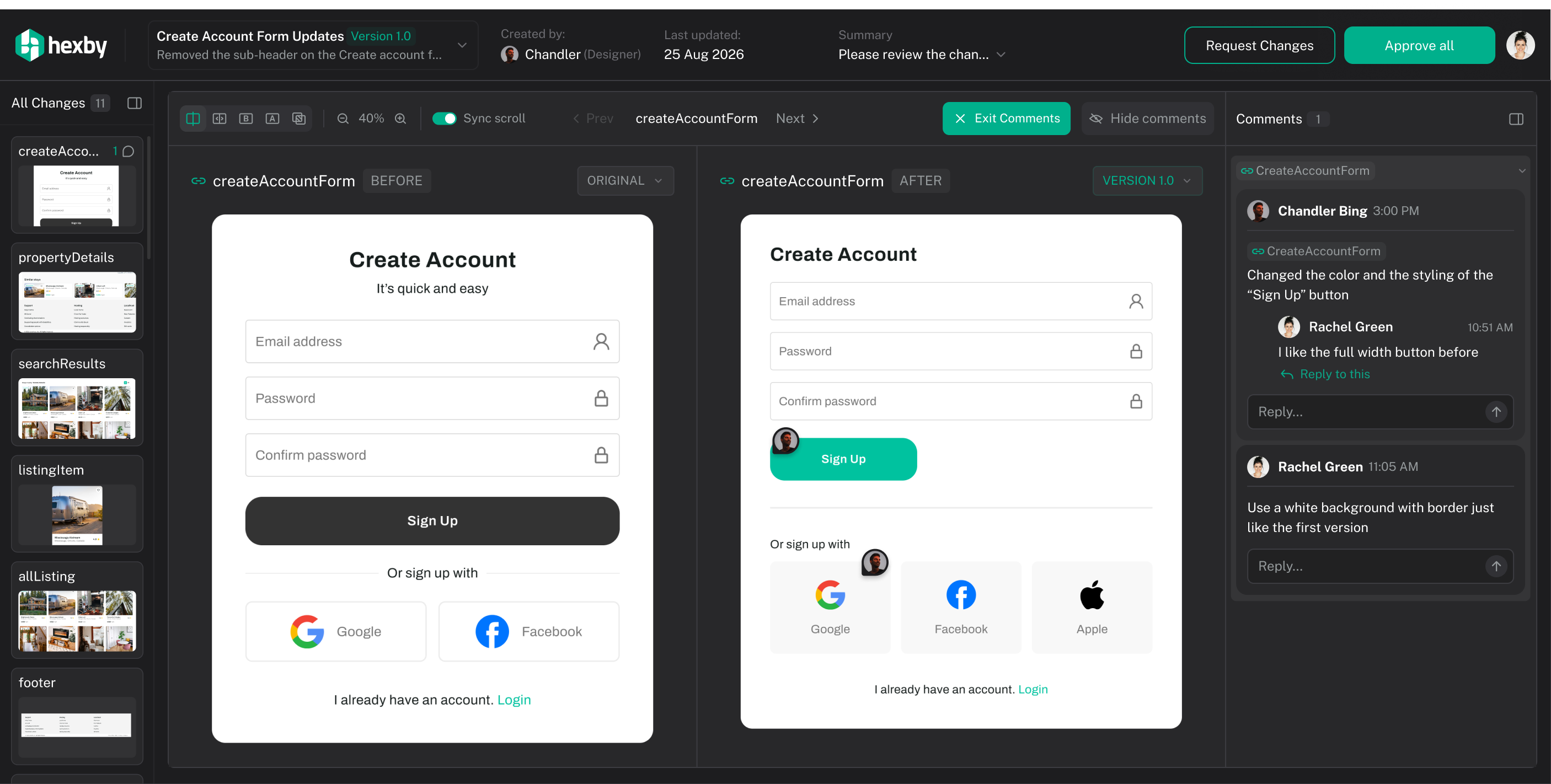
After you have made a couple of changes in your project, click Ship in the top right, then choose Submit for design review. This opens Review Changes, where you can compare the original and updated UI before sharing it with your team.
Why use this flow?
A visual review gives PMs, designers, and other teammates a clear handoff: they can see what changed, understand the intended outcome, and discuss specific UI details. The before-and-after comparison helps the team agree that the change is ready before it moves to a developer handoff or pull request.
Submit the changes for review
Open Ship → Submit for design review on the project and branch containing your changes. Review the affected pages and components, compare their original and updated previews, and inspect the changed files.
Use side-by-side, slider, or overlay comparison to spot differences. Compare the same screen size and state on both sides; Sync scroll helps you follow a long screen. Check that the changed files belong to the work you intend to share.
Share with PMs and teammates
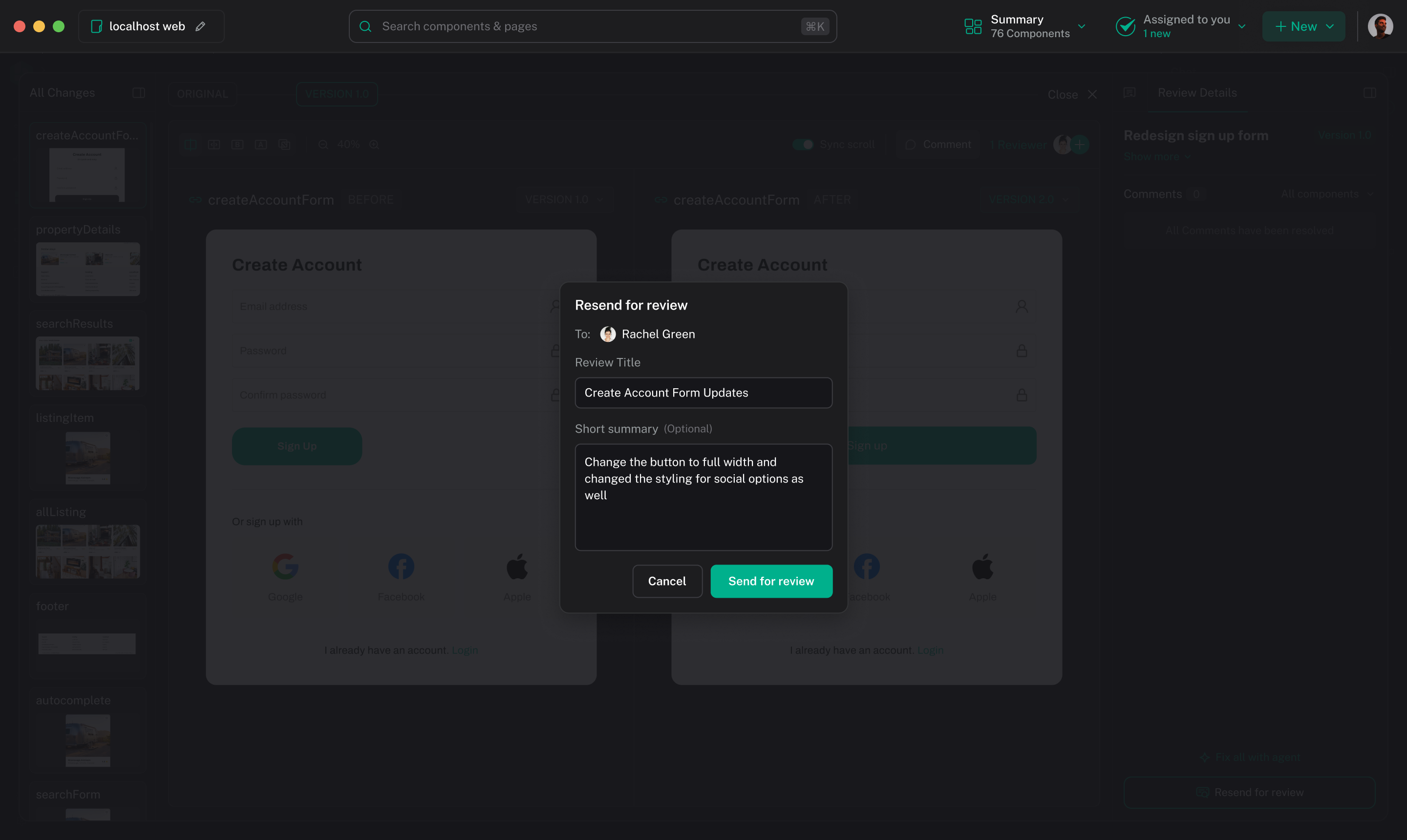
Choose Send for review to invite reviewers and publish the current version, or Copy link to share an active review. Add a short summary of what changed, why, and which decision you need from the team.
Reviewers can open the link in a browser without installing Hexby or opening a local copy of your project. They can compare the UI, leave comments on specific details, choose Request Changes, or select Approve all when it is ready.
Keep feedback in the review so the discussion stays attached to the affected UI. If changes are requested, refine the implementation with your assistant, review the result again, then choose Send update to publish the next version.
Hand off the approved work
Once the review shows Approved, choose Handoff to Devs to continue with GitHub. Confirm the repository, branch, changed files, title, and description, then complete the handoff. Choose Open pull request to continue the code review and merge process in GitHub.
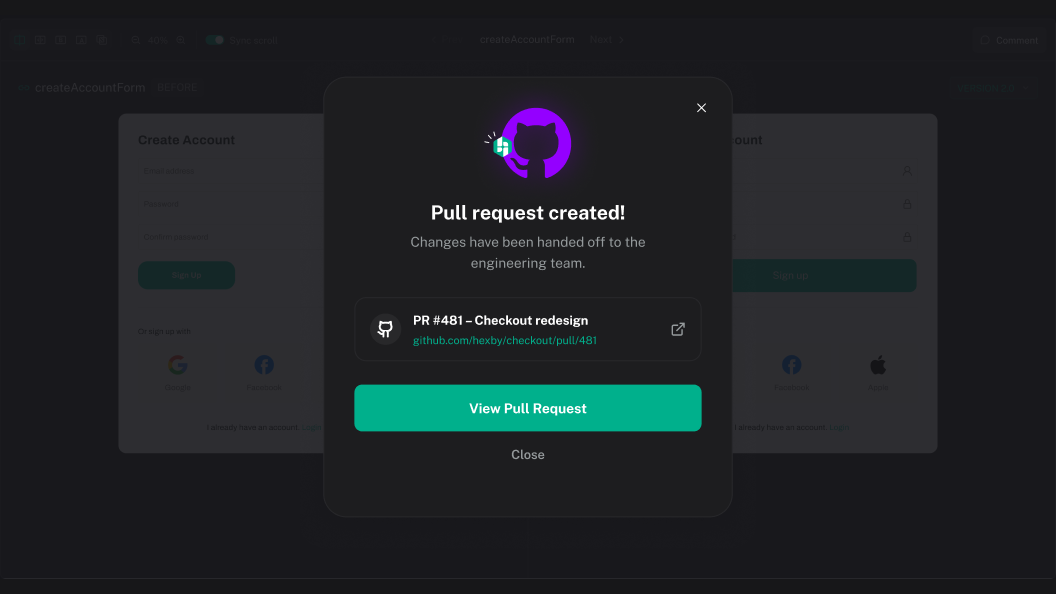
For solo work, you can choose Ship → Handoff to Devs after your own review; teammate approval is optional. The in-app pull request handoff requires GitHub access. For GitLab or Bitbucket, commit and push your changes, then open a merge request or pull request on that service.
Hexby prepares the handoff; your team reviews and merges the pull request in GitHub. If the source changes after approval, inspect the new changes and use Send update before handing off again.
For connection, preview, or handoff problems, see Troubleshooting.