





Don’t add another AI agent to your stack.
Hexby works with the agents you already trust — including Claude Code, Codex and Cursor. Hexby provides the visual interface and workflow. Your existing agents do the AI work underneath.
Instead of throwing design files over the wall to engineering, Hexby lets you design directly on your actual coded product.
Use cases
01
Polish vibecoded apps
Refine the UI of apps built with vibe coding tools
02
Iterate on your existing UI
Give designers a dedicated workspace connected to your codebase.
03
Start from an existing design system
Create new product designs from an established foundation.
04
Adapt design systems to your needs
Reuse and customize patterns from systems you love.
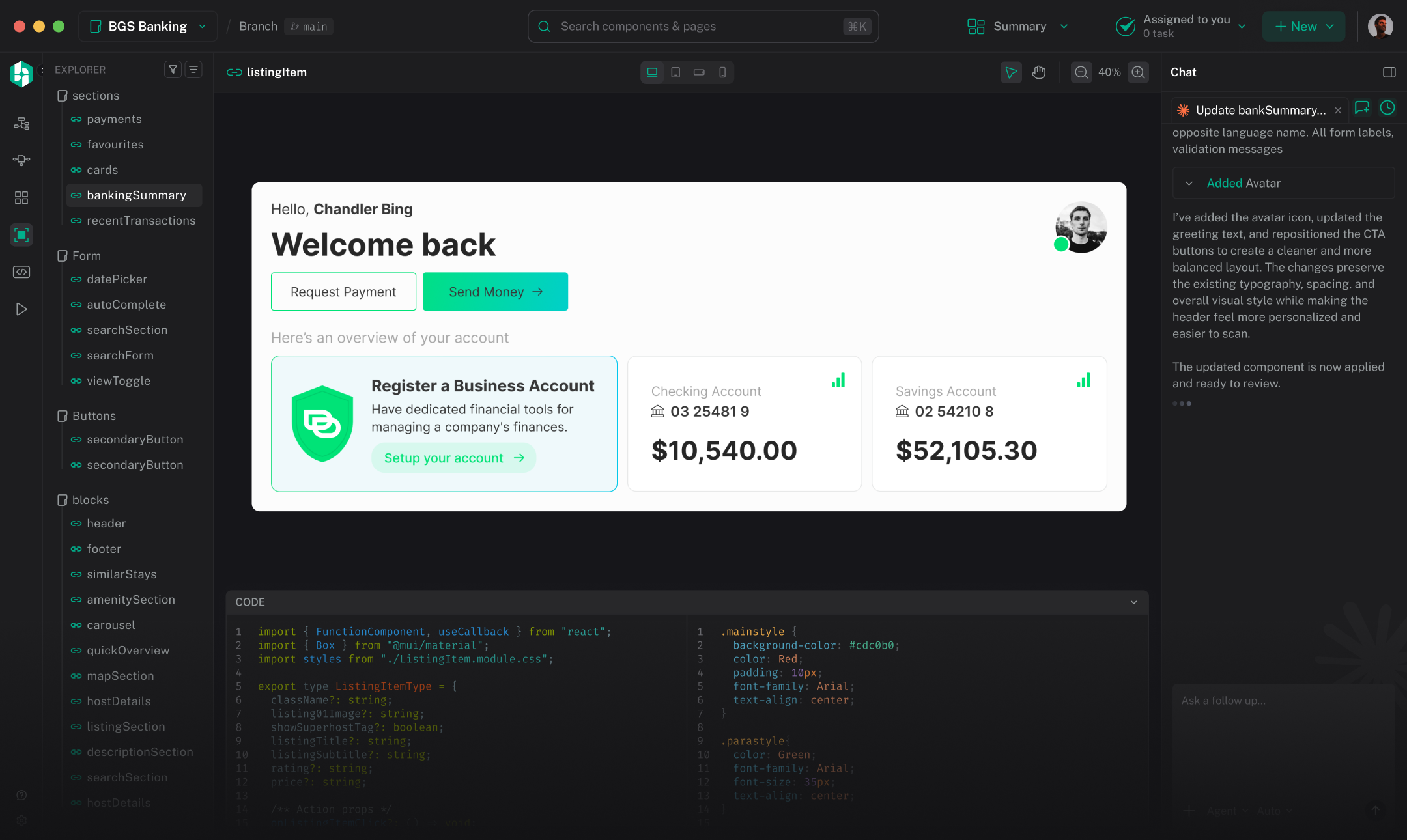
Hexby turns your real product code into a visual workspace where designers and product teams can review, refine and ship UI changes — using the AI coding agents you already use.
Connect your code from anywhere
Use the AI agents you already use
Why Hexby?
Figma
Design lives outside the product.
You can design exactly what you want, but it's disconnected from the code that ships.
The gap
Designs aren't connected to the code that actually ships.
AI coding agents
Make coding easier. Leave design behind.
Agents can change your code, but you only see the result in prompts, code, or a running app.
The gap
Code changes, but there's no easy way to work with just the UI
Hexby
Design on the real UI with your agents.
Connect your codebase, visualize the real UI, and change it with the agents you already use.
The solution
Your codebase becomes the actual visual design environment.
Your code. Your agents. Your UI.
How it works
See what’s actually shipping. Change it visually.
Let your agents do the work.
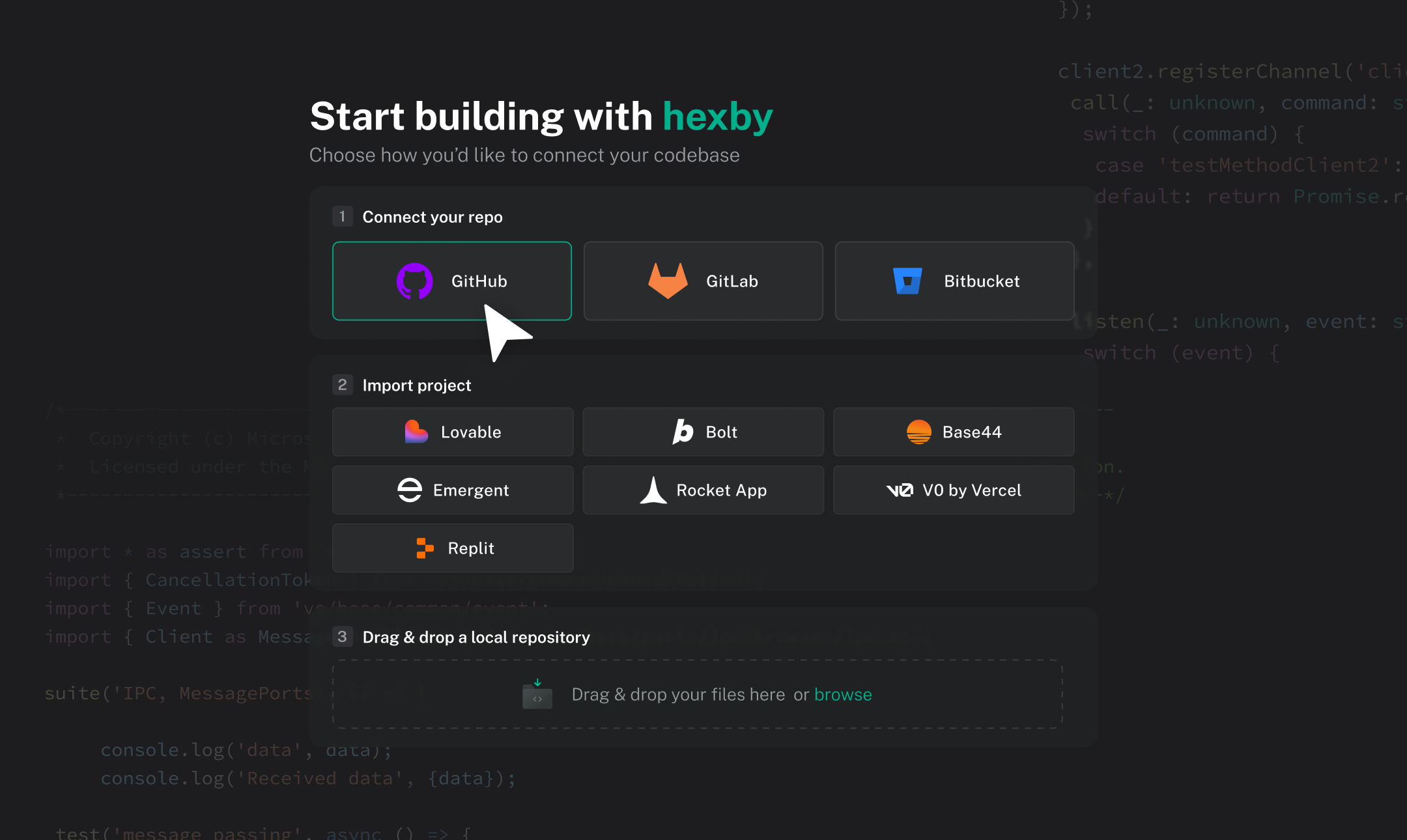
The codebase Hexby opened — the source of every screen on the canvas.
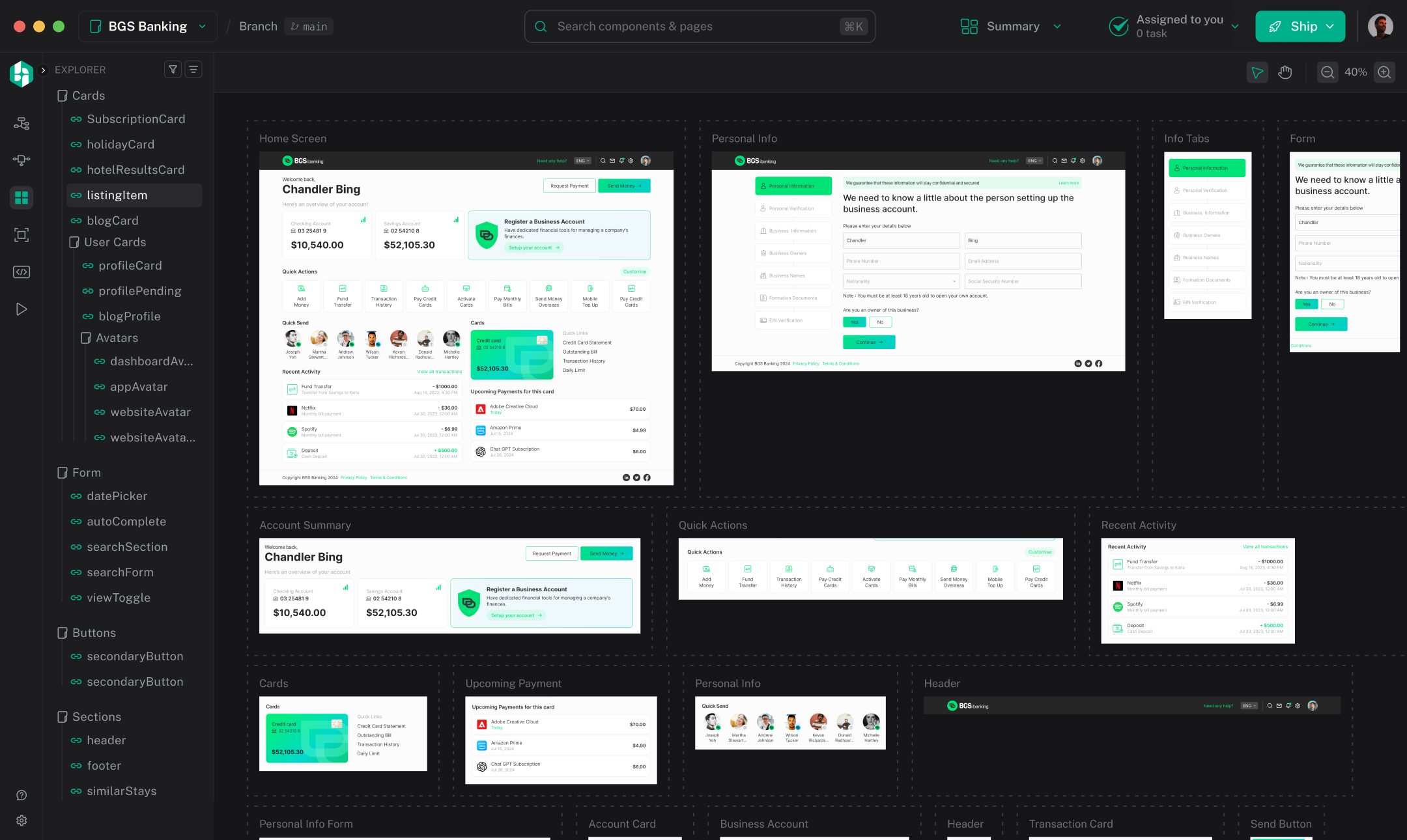
The same UI, laid out as a canvas of the screens the code actually renders.
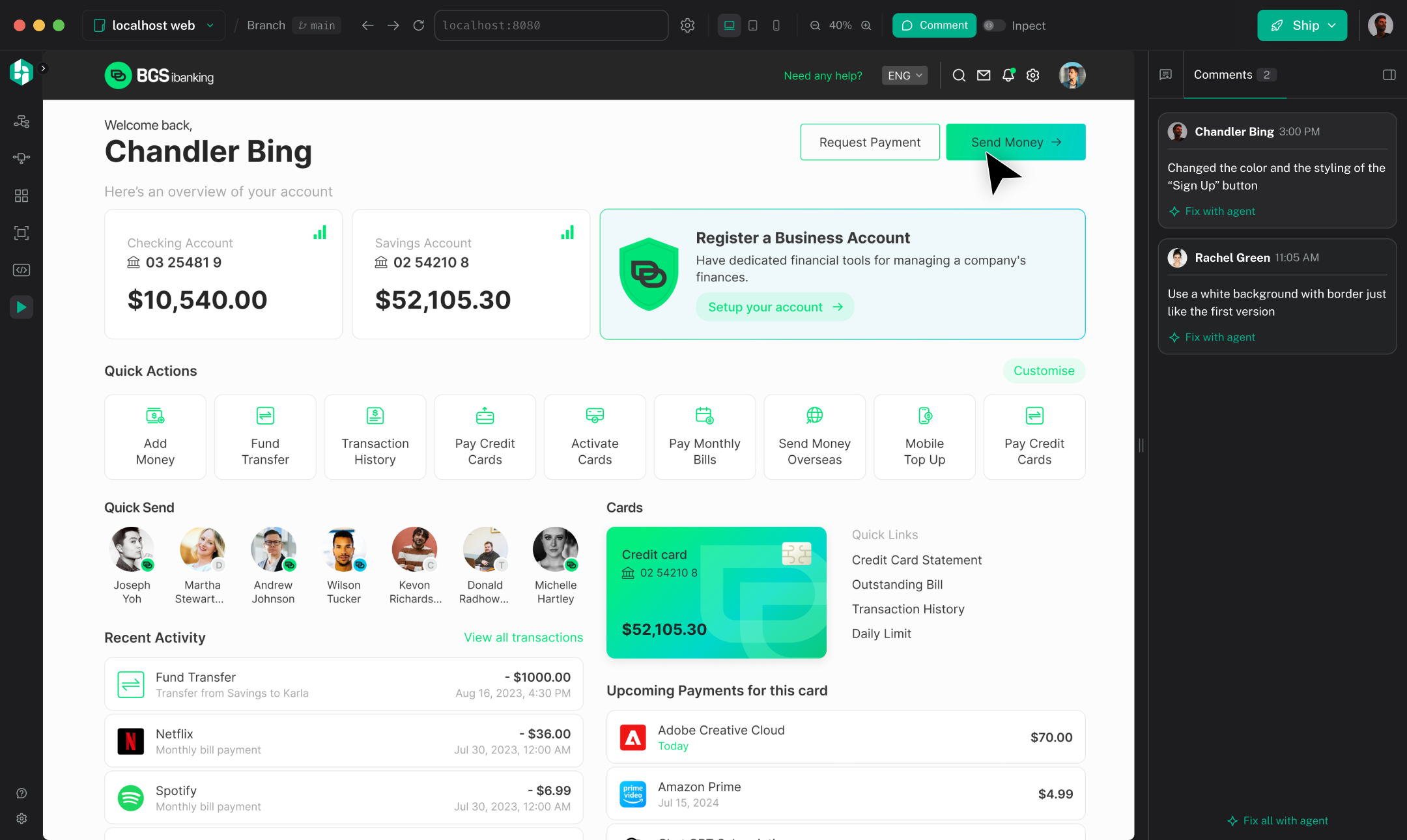
Your existing agent does the AI work, pointed at the thing you selected.
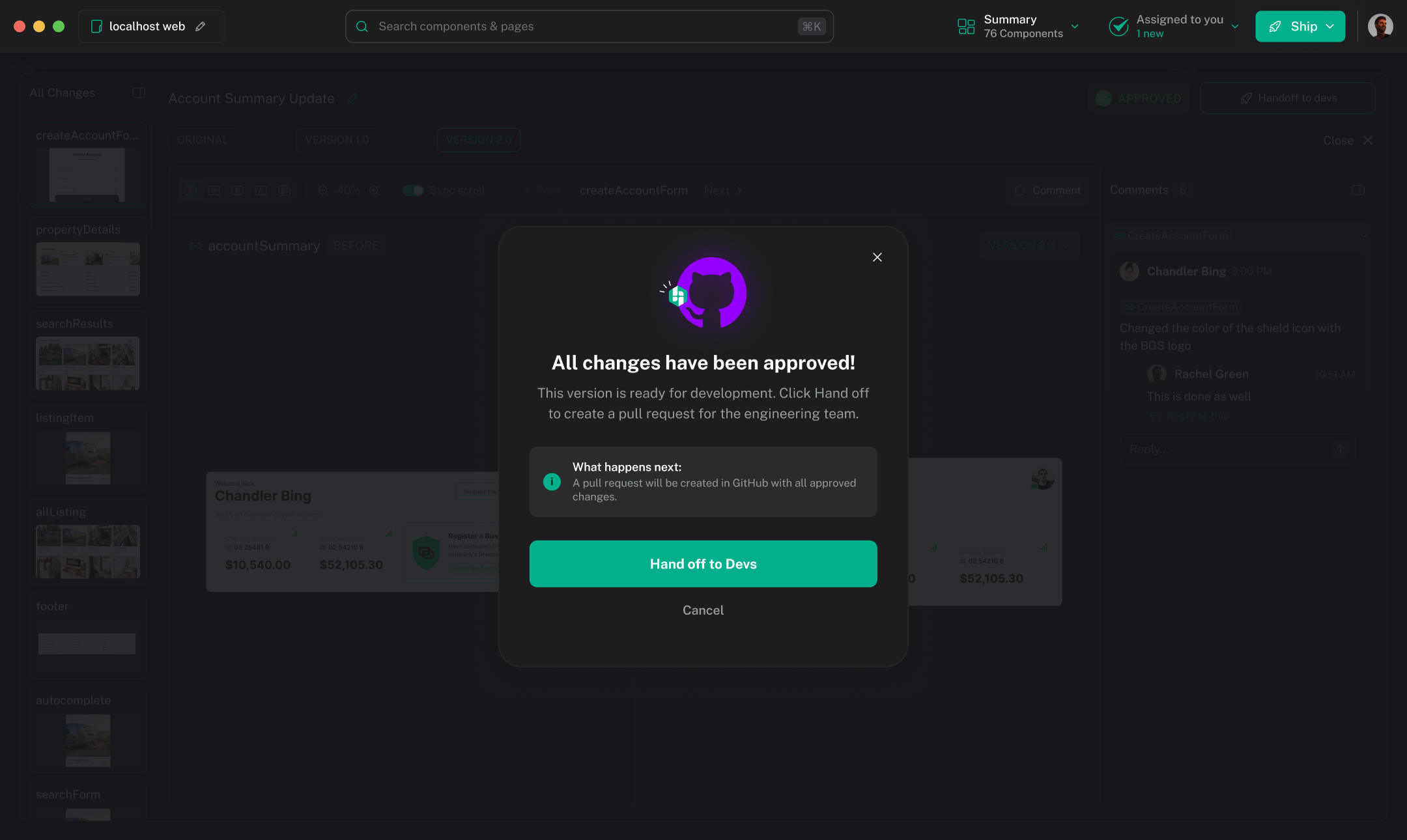
Submit for review. Nothing reaches the repository until somebody means it to.
Your codebase
Instead of designing against screenshots or maintaining another artifact that drifts from production, Hexby gives your team a visual workspace on top of the code that actually runs your product.
Codebase to Hexby Canvas to Codebase.
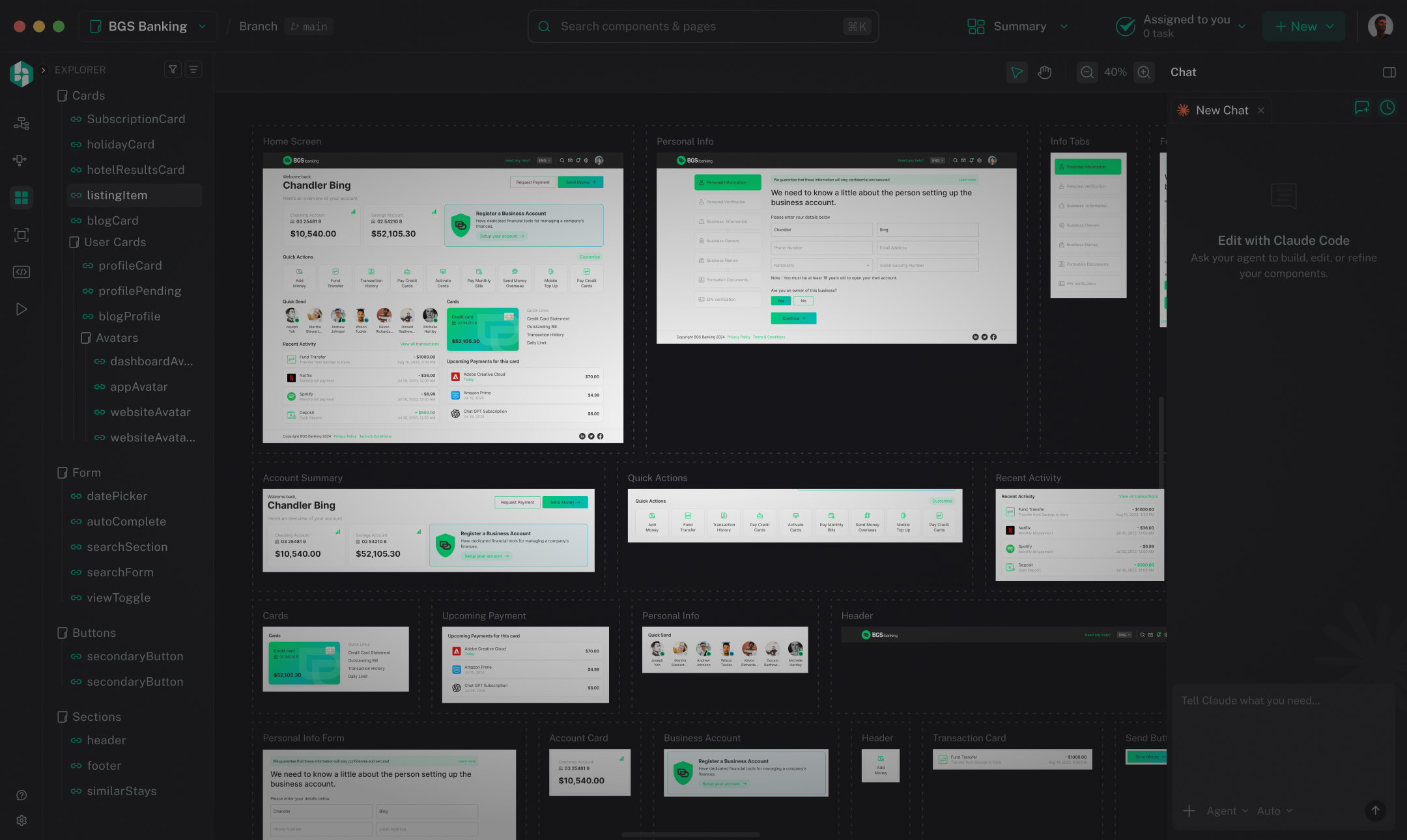
Hexby doesn’t replace the codebase. It makes it visual.
The workspace
Explore the workspace views, starting with Pages and the components they use.

All Components
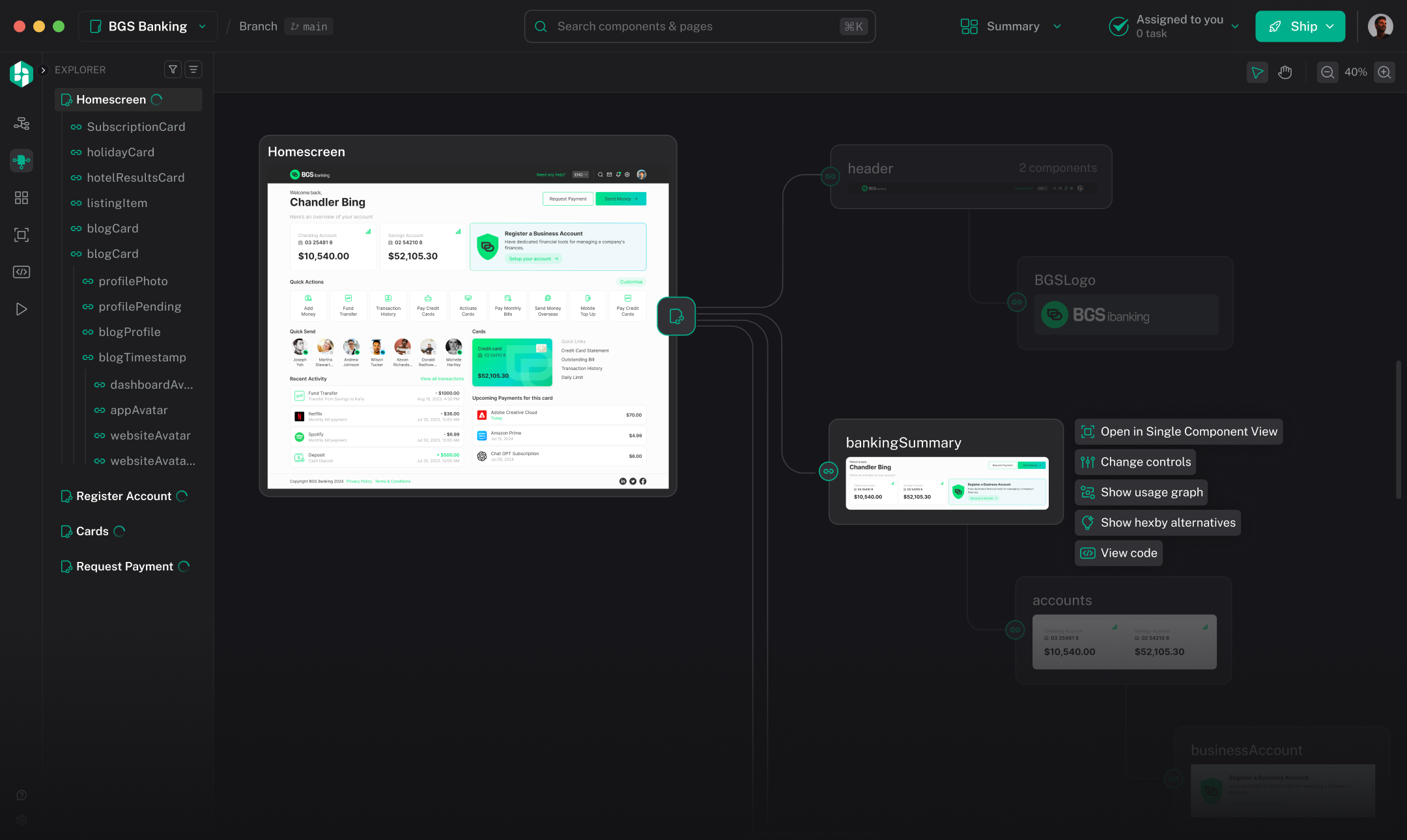
Every component you have on one free canvas, with project-wide search, filtering by kind and sorting. Zoom in and the cards become the real components, live and clickable, so you can hover them and try their states without leaving the canvas.

Pages
Pick a page and the canvas draws it together with its whole dependency closure. A shared component appears under every parent that uses it but resolves to one record, so before you change anything you can see everywhere it would land.

Component Map
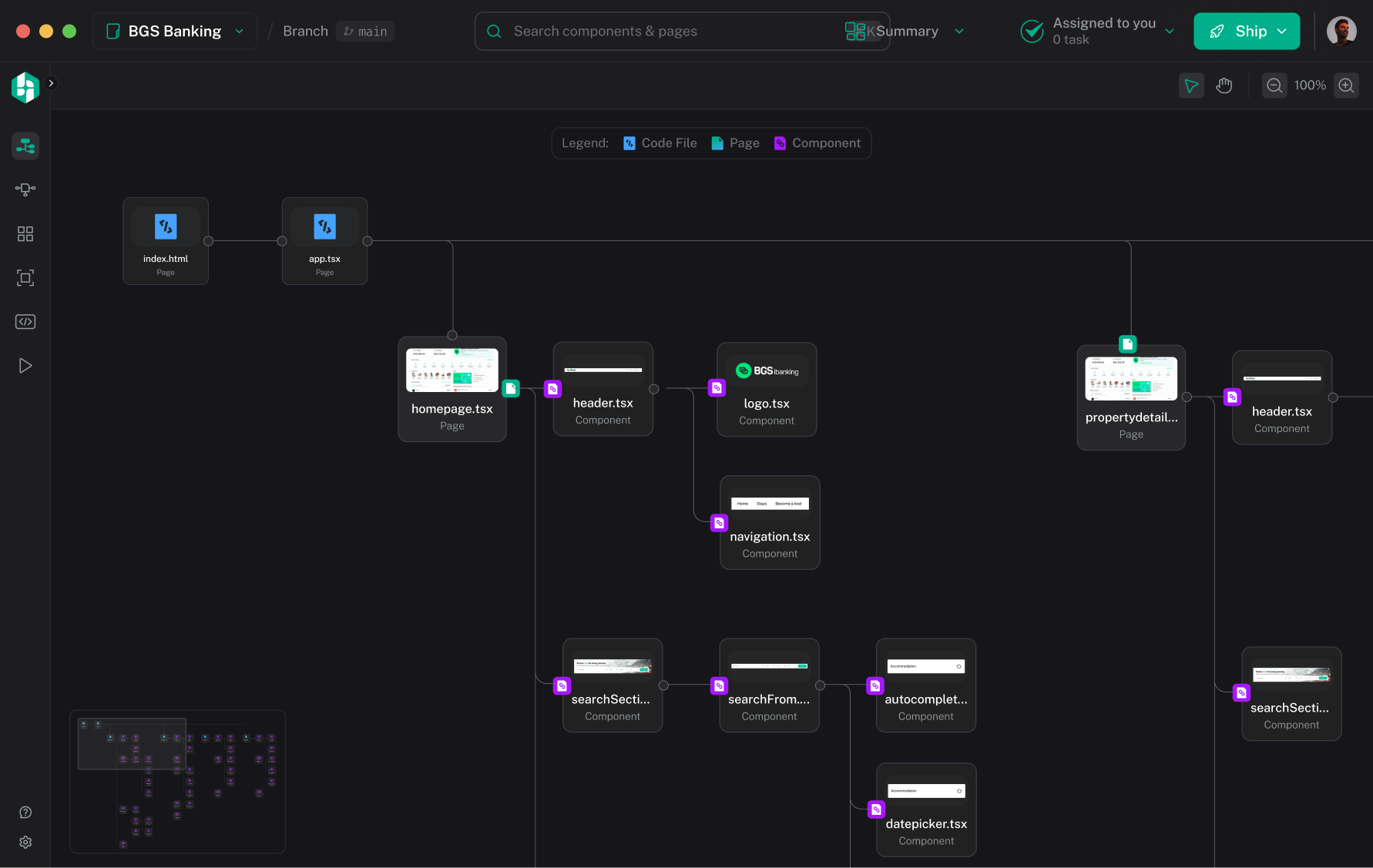
Hexby reads your project and lays out every page, layout and component as a map, connected by what actually renders what. The layout is deterministic, so the same project always draws the same map and you can learn where things live.
Zoom out to take in the shape of the whole project. Zoom in and every node shows the screen it renders, named, with the kind it is. Files you have changed pick up a git status border, so the map doubles as a picture of your work in progress.

Component View
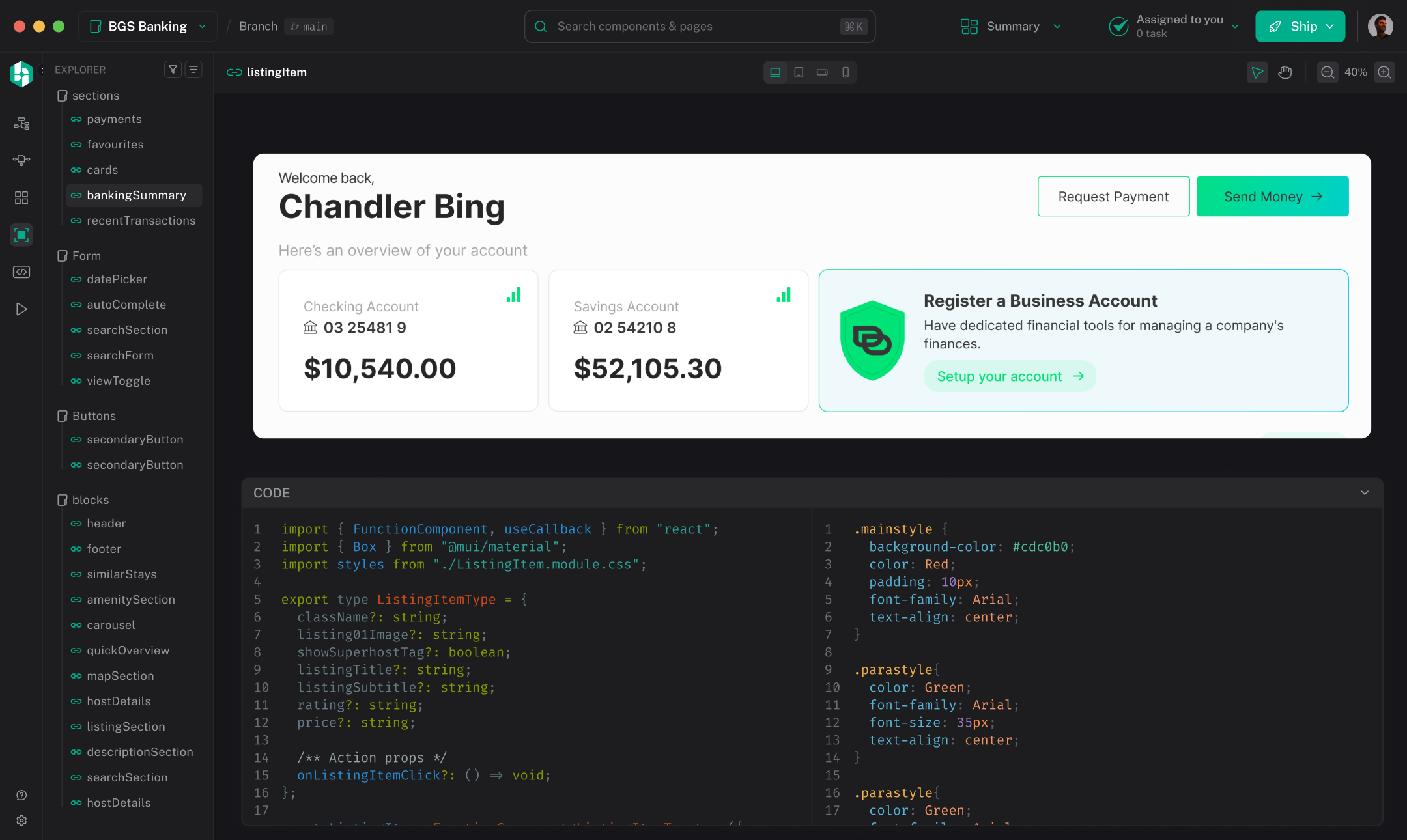
Isolates a single component in the middle of the canvas with Desktop, Tablet and Mobile breakpoints, and a resizable code dock below it showing that component's source. When the component has a companion stylesheet, the dock splits so you can see the markup and the styles together.

Preview App
Hexby starts your project's own dev server and frames the running app, with an address bar that drives its real history, route autocomplete from the analysis, and Desktop, Tablet and Mobile viewports.
The Inspect dock is where someone who does not write code gets to work: a live layers tree, controls for colour, typography, spacing and layout, and a Content tab for editing the words on the screen.

Review
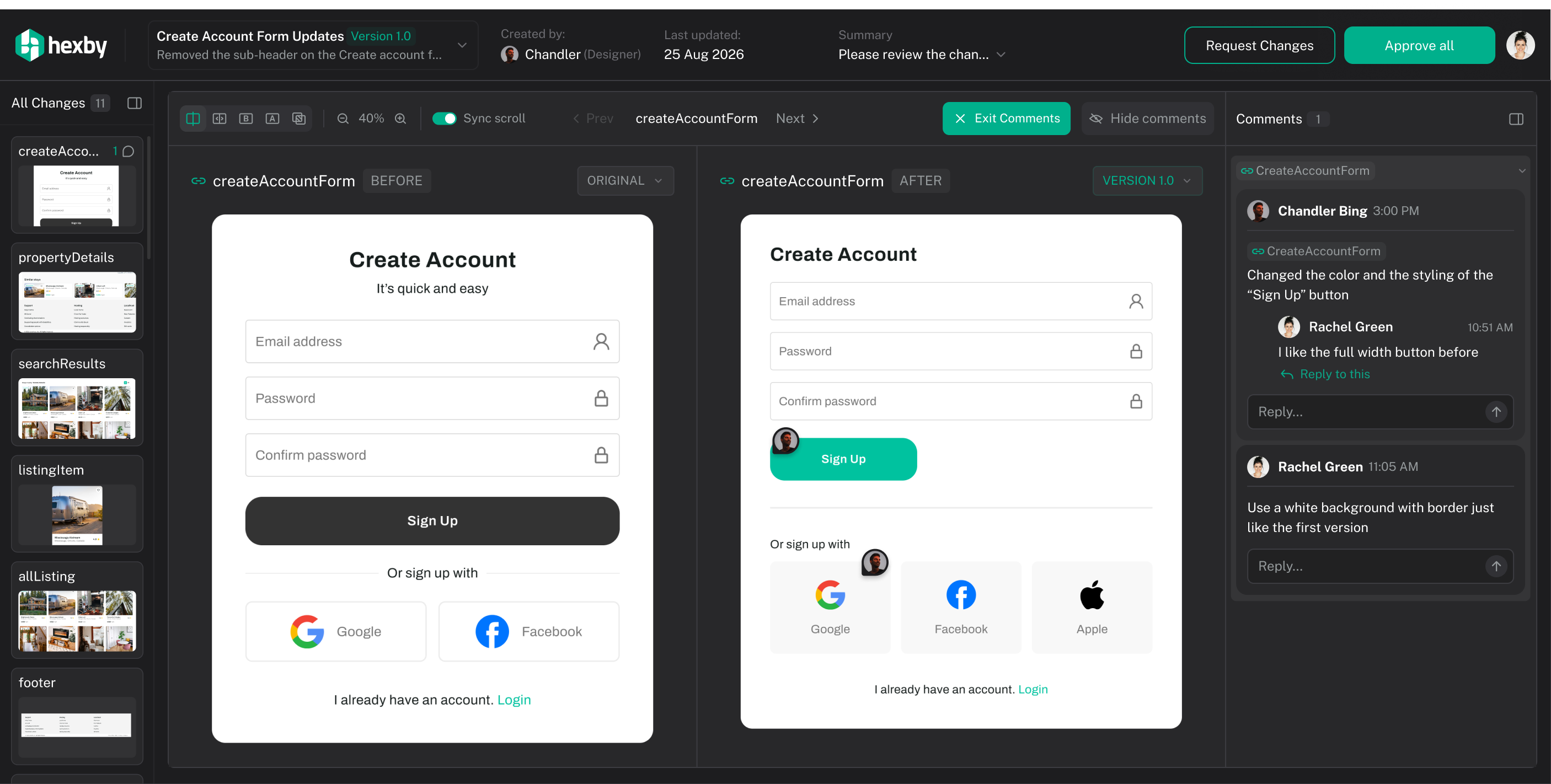
A live before and after comparison, both sides rendered from your own code. It reads your local git history, so opening a review is instant. Compare against the branch baseline or against the last version you sent.
When it is right, share the link. Teammates review it in the browser with nothing to install, and their feedback comes back pinned to the component it is about, so you reply and resolve it in the same panel.
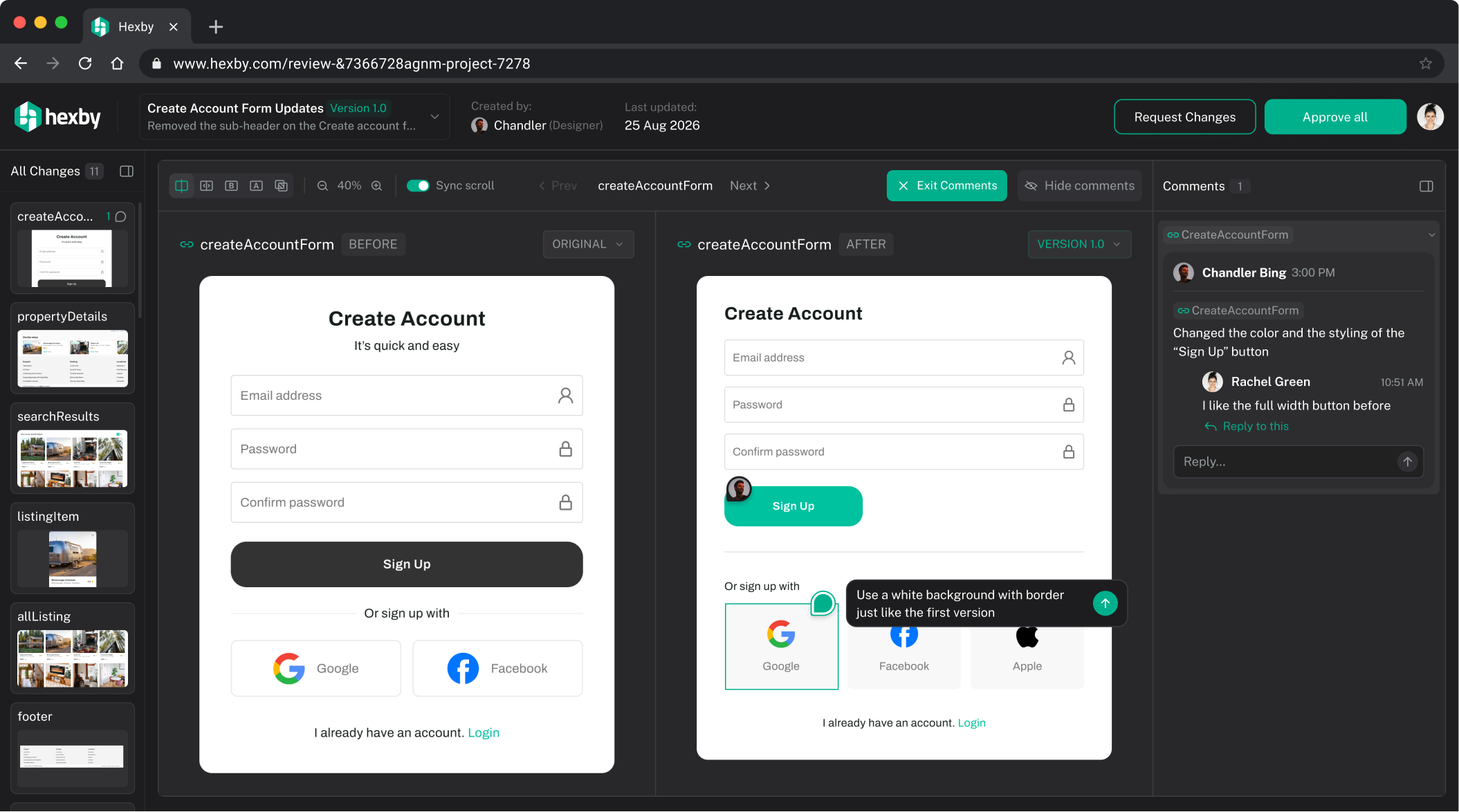

Handoff / Submit to Devs
When everyone is happy, hand it off to developers. Hexby opens the pull request with the before and after attached, so the visual work lands in the same review and merge workflow you already use.

Chat
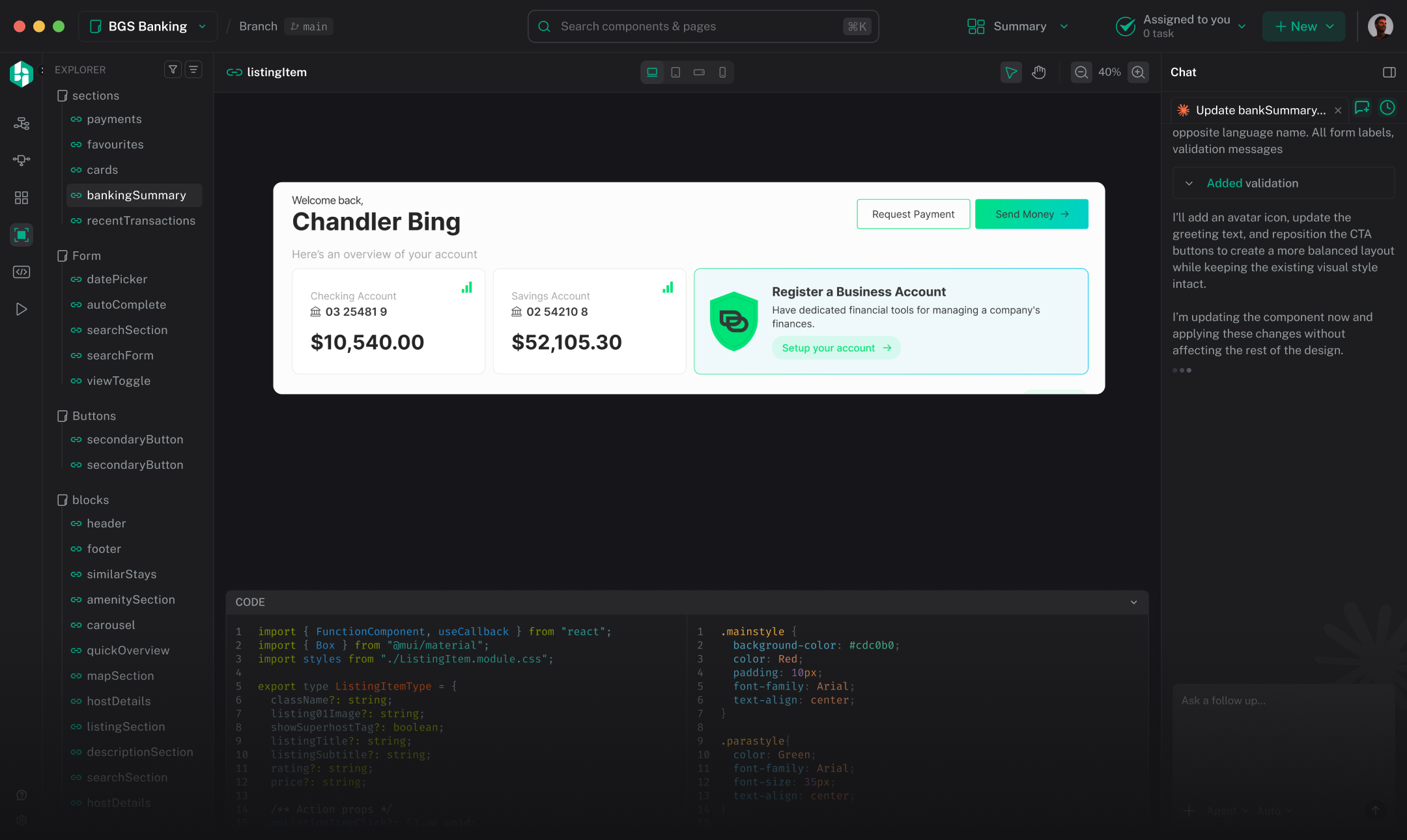
Ask your agent to build, edit, or refine your components. Select something on the canvas and it comes along as context, so the agent knows exactly which file you mean. Paste an image, run a slash command, or dictate.
Answers come back as plans, diffs and permission cards you approve. Nothing is written to your project without you saying yes.
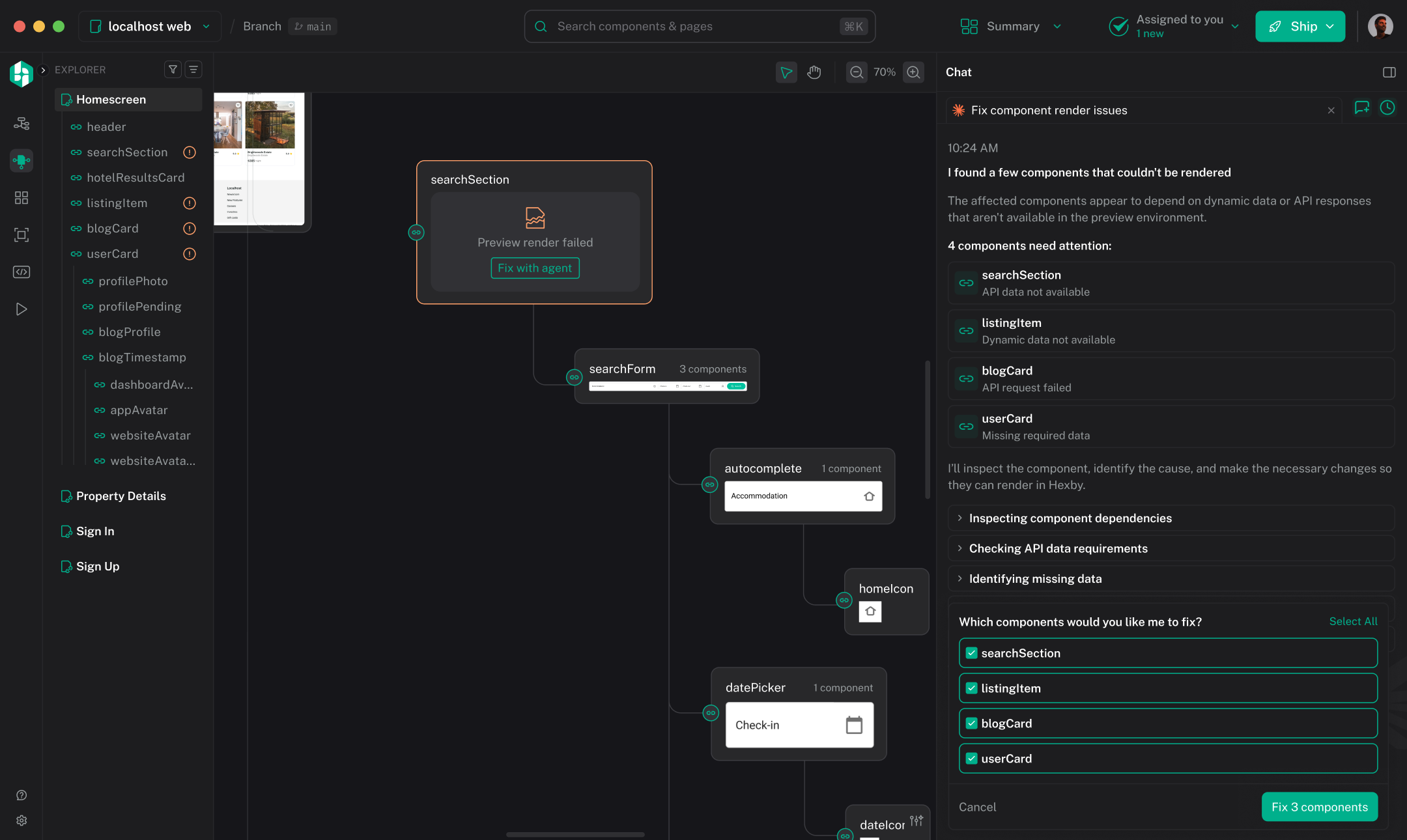

Annotate
Show your agent exactly what to change. Send it all in one go.

Explore with Hexby
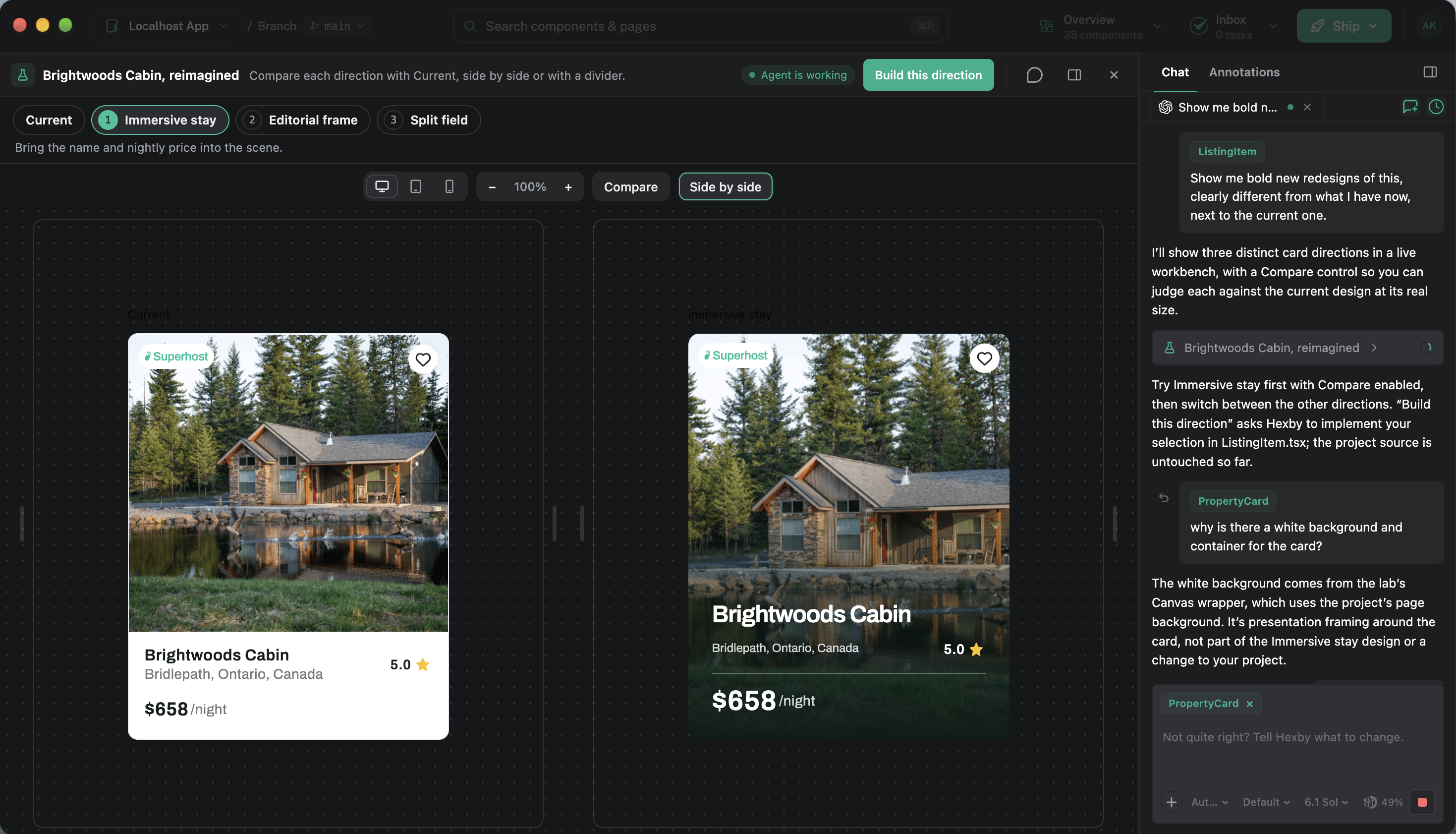
Compare ideas on your real UI. Choose what to build.
One card. Three new directions.
 ★ Superhost
Mississauga, Ontario, Canada
The original photo and listing details.
★ SuperhostMississauga, Ontario, Canada
More room to scan the stay details.
★ SuperhostName and nightly price take the lead.
★ SuperhostMississauga, Ontario, Canada
Amenities and a clear next action together.
Swipe to compare previews

Remix a project
Reuse an app’s design and components. Let your agent build something new.
Use existing agents
Don’t add another AI agent to your stack.
Hexby works with the agents you already trust — including Claude Code, Codex and Cursor. Hexby provides the visual interface and workflow. Your existing agents do the AI work underneath.
No additional AI subscription required
When you use AI features, work runs on the agent accounts and tokens you already have. Hexby does not sell or bundle model usage.
Claude Code
Reuses your existing Claude Code sign-in.
Codex
Cached sign-in, or a one-time device code.
Cursor
Relay sign-in, or your own API key.
Gemini
Cached Google sign-in, or your own API key.
GitHub Copilot
Uses the Copilot CLI you already have.
Ten more coding CLIs connect through the same protocol.
Review before merge
Move fast without letting non-developer changes go straight to production.
Select elements, make changes, and see the results instantly on your actual codebase components.
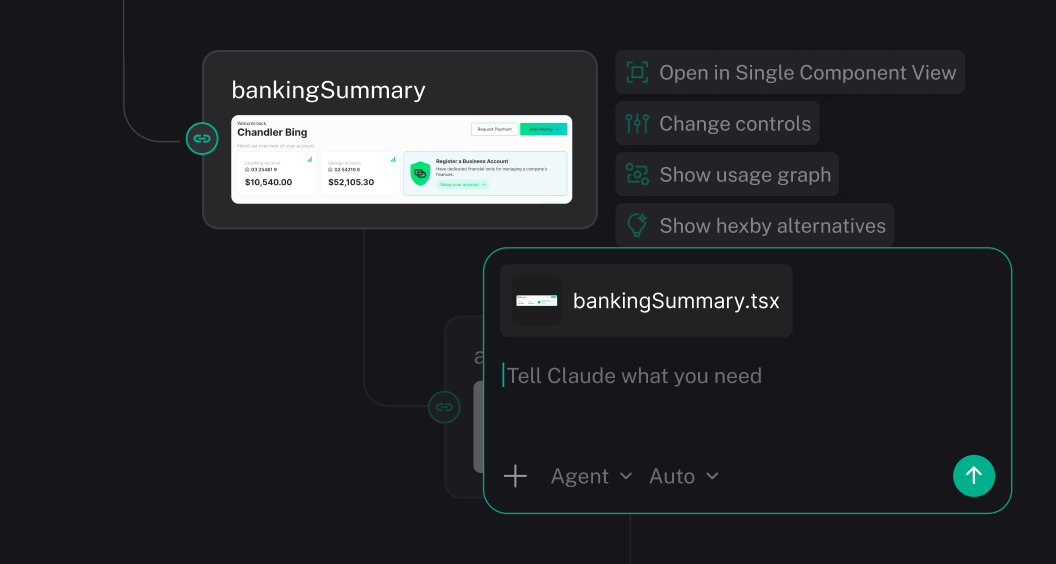
Annotate the live preview. Reviewers see the same components the code renders, so feedback lands on the thing that ships.
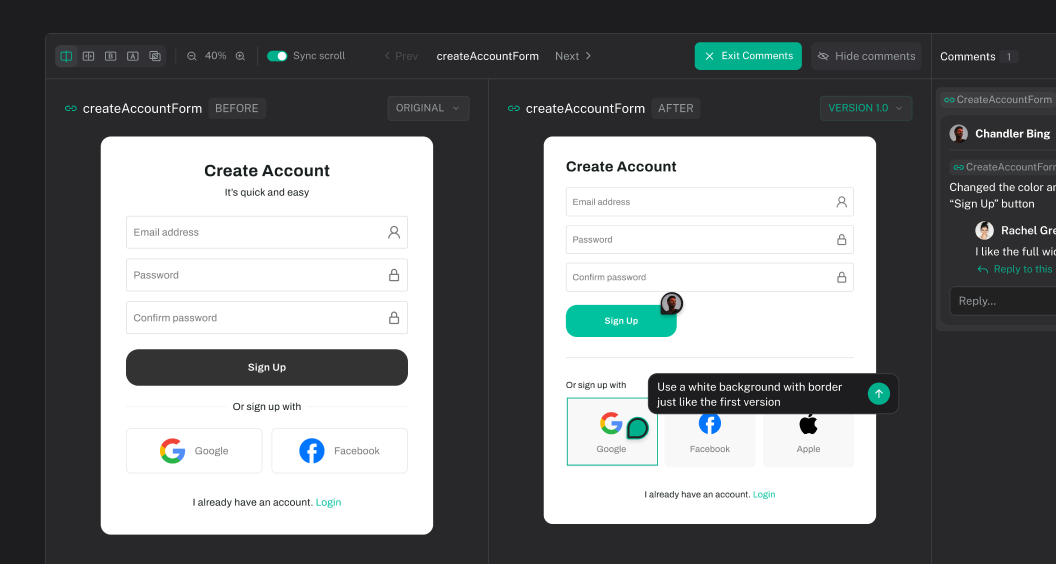
Designers send real components for review. Approved work is ready to hand off.
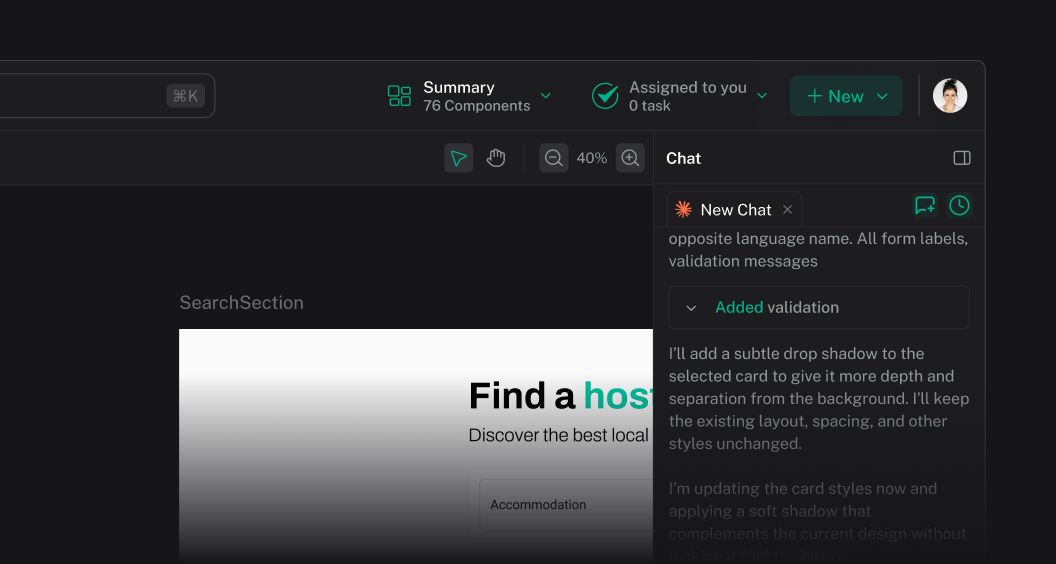
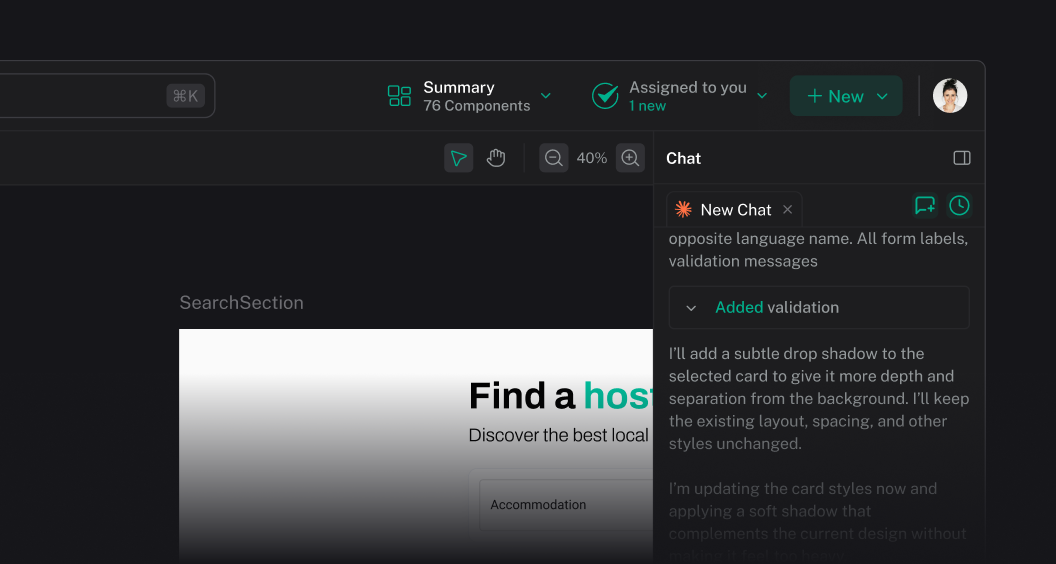
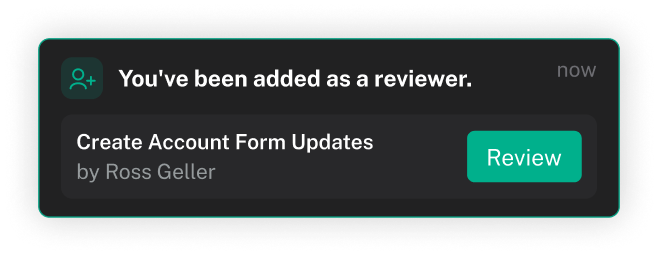
Submit the visual work as a review round. Nothing reaches the repository until somebody means it to.
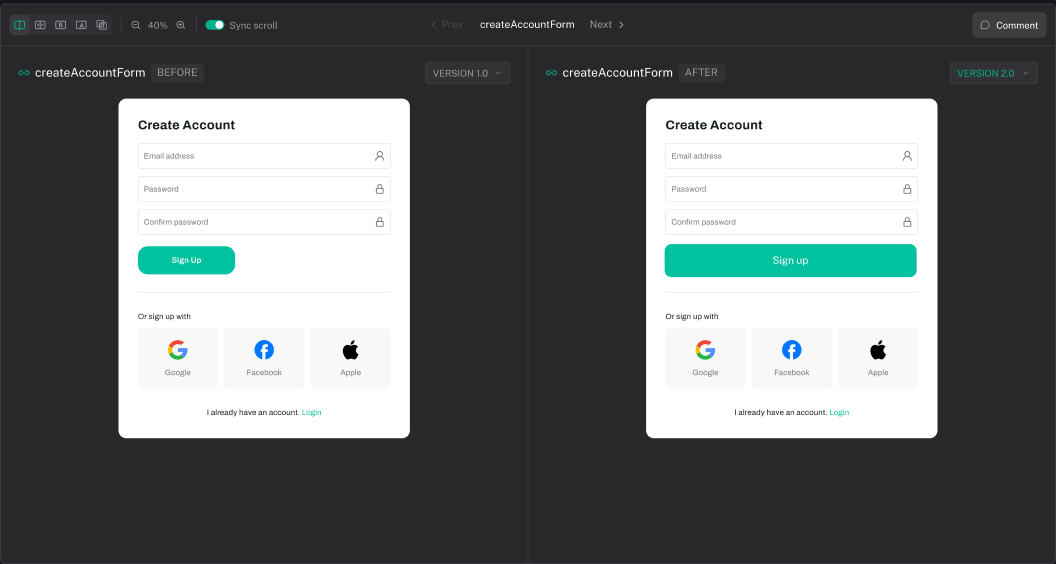
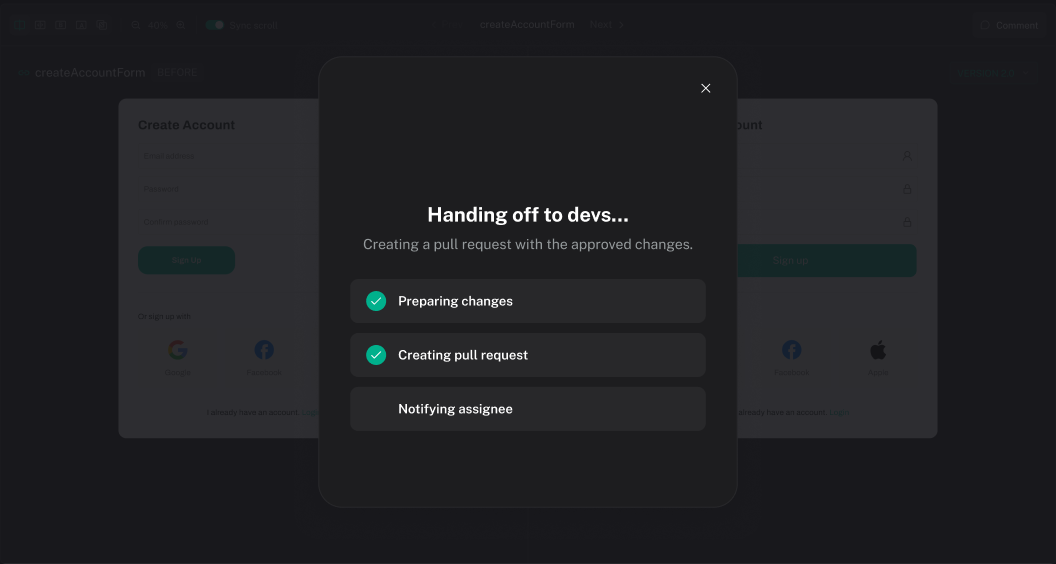
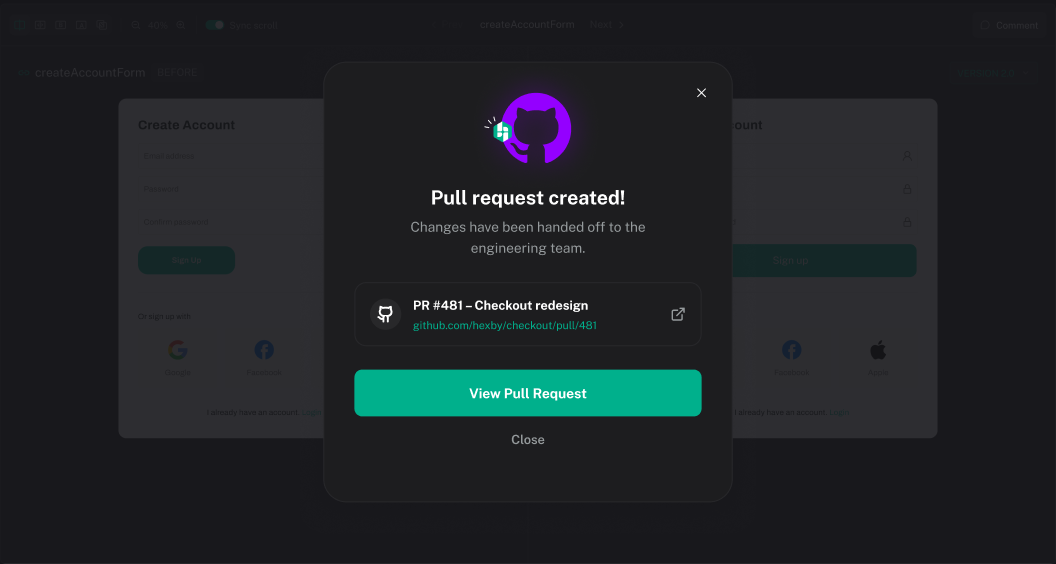
The visual review posts into the pull request—what changed, what was approved, and a link to open it. Developers stay in GitHub.
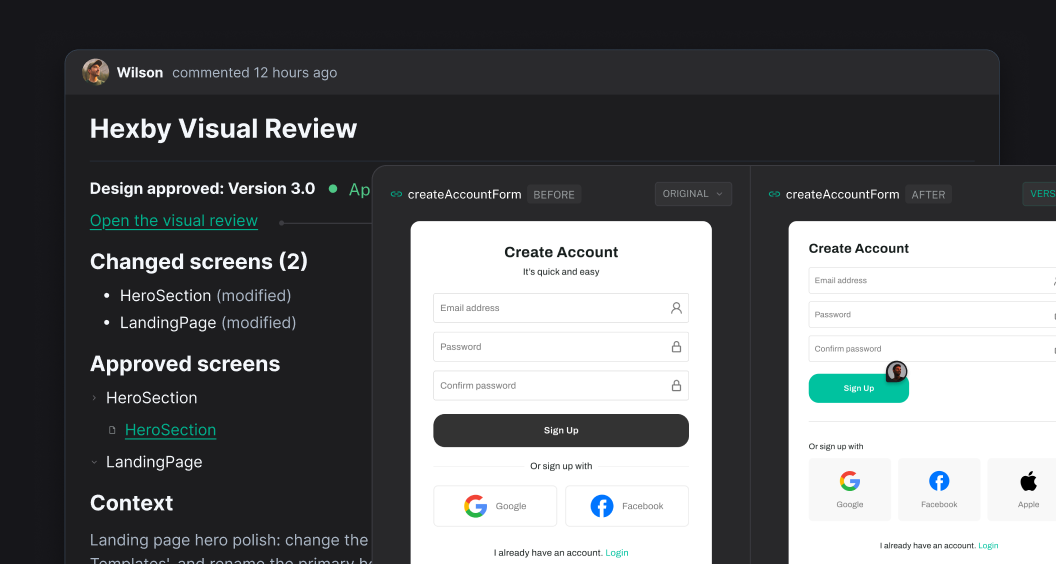
Changes go live to production.
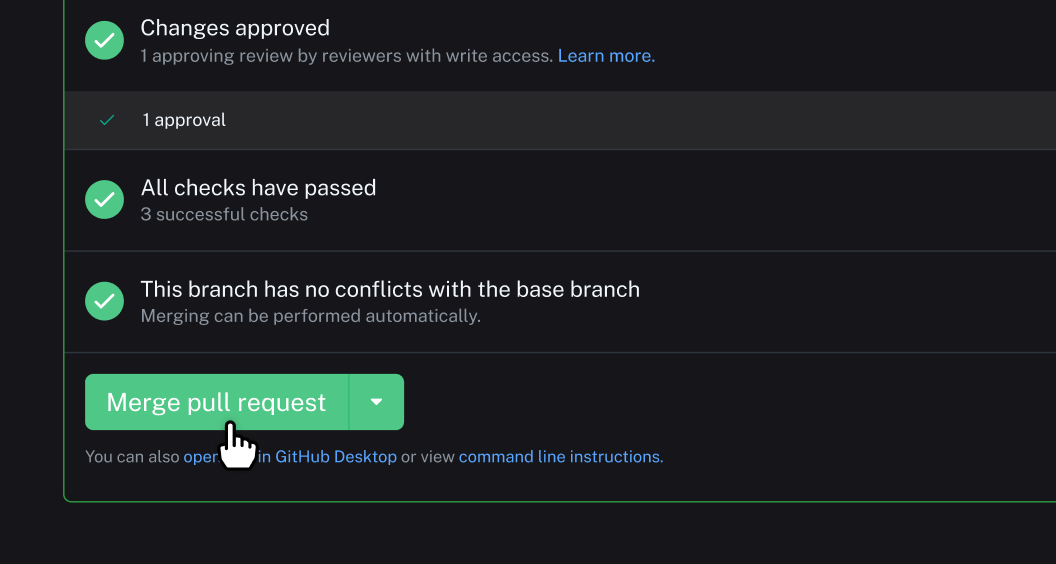
Hexby gives designers and product teams a way to work close to production while keeping your existing review and merge workflows intact.
Built for modern teams
Whether your app was built by a senior engineer, an AI coding agent, or somewhere in between, Hexby lets you bring the UI into a visual workspace and keep iterating.
Built by engineers
Your existing codebase
1import { Button } from "@/components/ui"2import { Hero } from "@/sections/hero"34export default function Home() {5 return (6 <Hero />7 )

Bring Codebase into Hexby
Built with AI
From your favorite AI coding agent
Create a travel booking homepage with a hero section, search bar and destination cards.
Hexby for
Frequently Asked Questions
Explore how Hexby fits into your existing product and development workflow.
Hexby is a visual design workspace for teams whose product UIs live in code. It turns an existing frontend codebase into a visual canvas where you can explore screens and components, try design alternatives, and refine interfaces using your existing AI coding agents. Unlike a traditional design-first workflow, Hexby lets you work with the UI that already exists in your codebase, without having to recreate it in a separate design file. You can watch a demo of the Hexby workspace here.
Hexby turns your existing frontend codebase into a visual workspace for exploring your application's pages and components. Instead of navigating source files to understand the UI, you can inspect rendered interfaces, explore component relationships and identify areas to improve. This helps designers, product managers and developers understand and work on coded UIs visually. You can explore the Hexby workspace in the product tour here.
Hexby brings a visual design workflow to products built directly in code by AI coding agents. Connect your project, explore the UI on a visual canvas, experiment with layouts and components, and use your existing coding agent to implement changes. You can move between visual exploration and code implementation without first recreating your application in a separate design tool. You can explore different design directions here.
Hexby helps you refine AI-generated applications after the initial build. Bring your project into a visual workspace, explore alternative layouts, improve components and polish the interface using your existing AI coding agent. Instead of rebuilding the application from scratch, you can iterate on the UI of the product you have already created. You can learn how to open your existing project here.
Yes. Hexby brings visual UI exploration and iteration into your existing AI coding workflow. Work with your application's screens and components, identify the changes you want to make, and use your connected coding agent to implement them in code. You can continue using your existing agent and its subscription rather than switching to a separate AI coding agent provided by Hexby. You can find the AI assistant integration guide here.
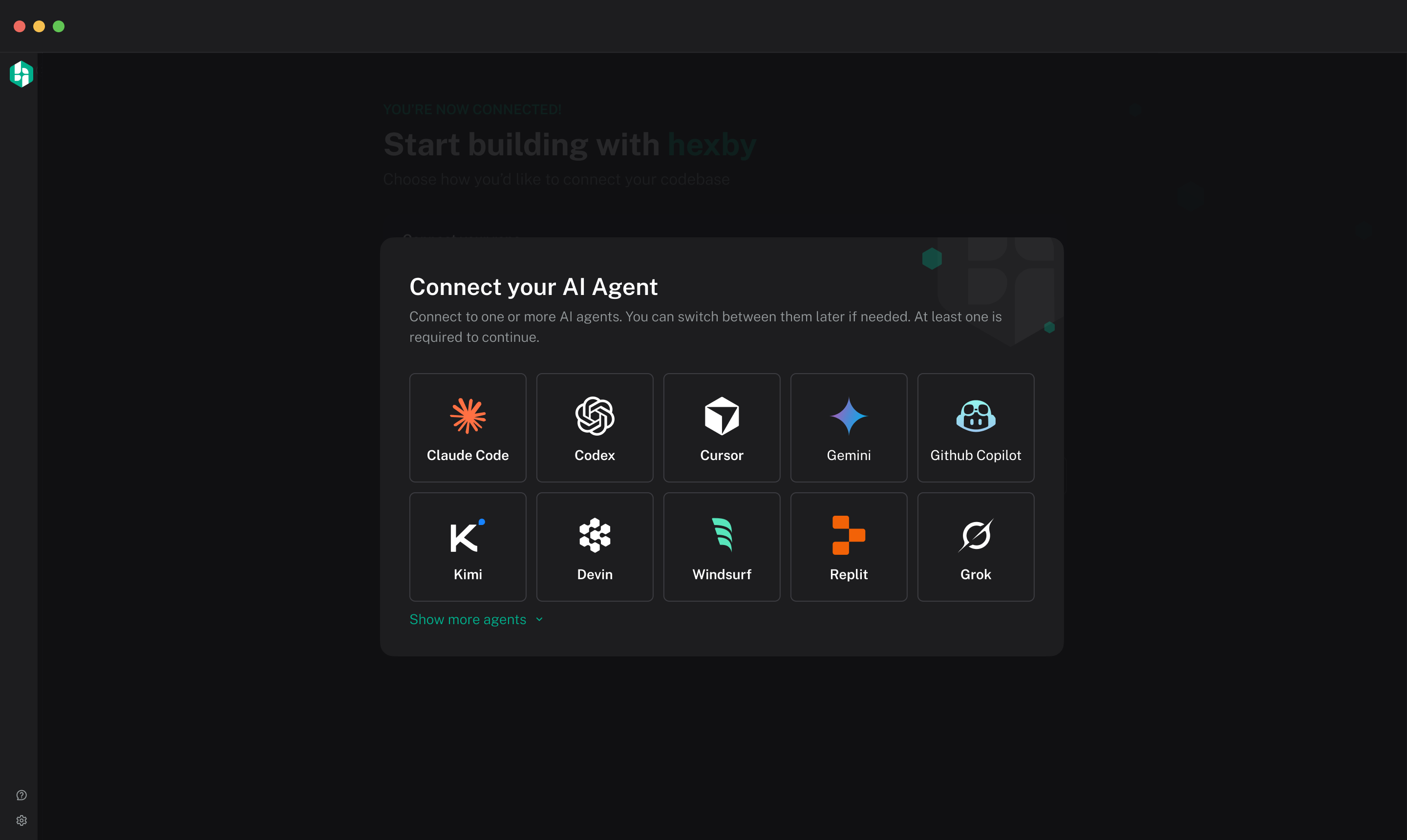
Hexby lets you explore alternative UI directions using your existing application as the starting point. Experiment with layouts, screens and components, review visual changes against the current interface, and refine your preferred direction with your AI coding agent. This helps teams evaluate design options before deciding which changes to implement in their codebase. You can learn how to explore and compare design ideas here.
Hexby gives designers and product managers a visual workspace for understanding and refining an existing application's UI. They can explore screens and components, communicate desired changes and work with an AI coding agent to implement improvements. Teams can review visual changes together and hand approved work back to developers through their existing development workflow. You can learn about visual review and developer handoff here.
Yes. Hexby creates a visual workspace from your existing frontend project so you can explore the UI that has already been implemented. You can inspect pages and components, understand how the interface is structured, and iterate on the existing product using your AI coding agent. Your codebase remains the source of truth, rather than requiring you to manually recreate each screen in a separate design file. You can find project requirements and setup instructions here.
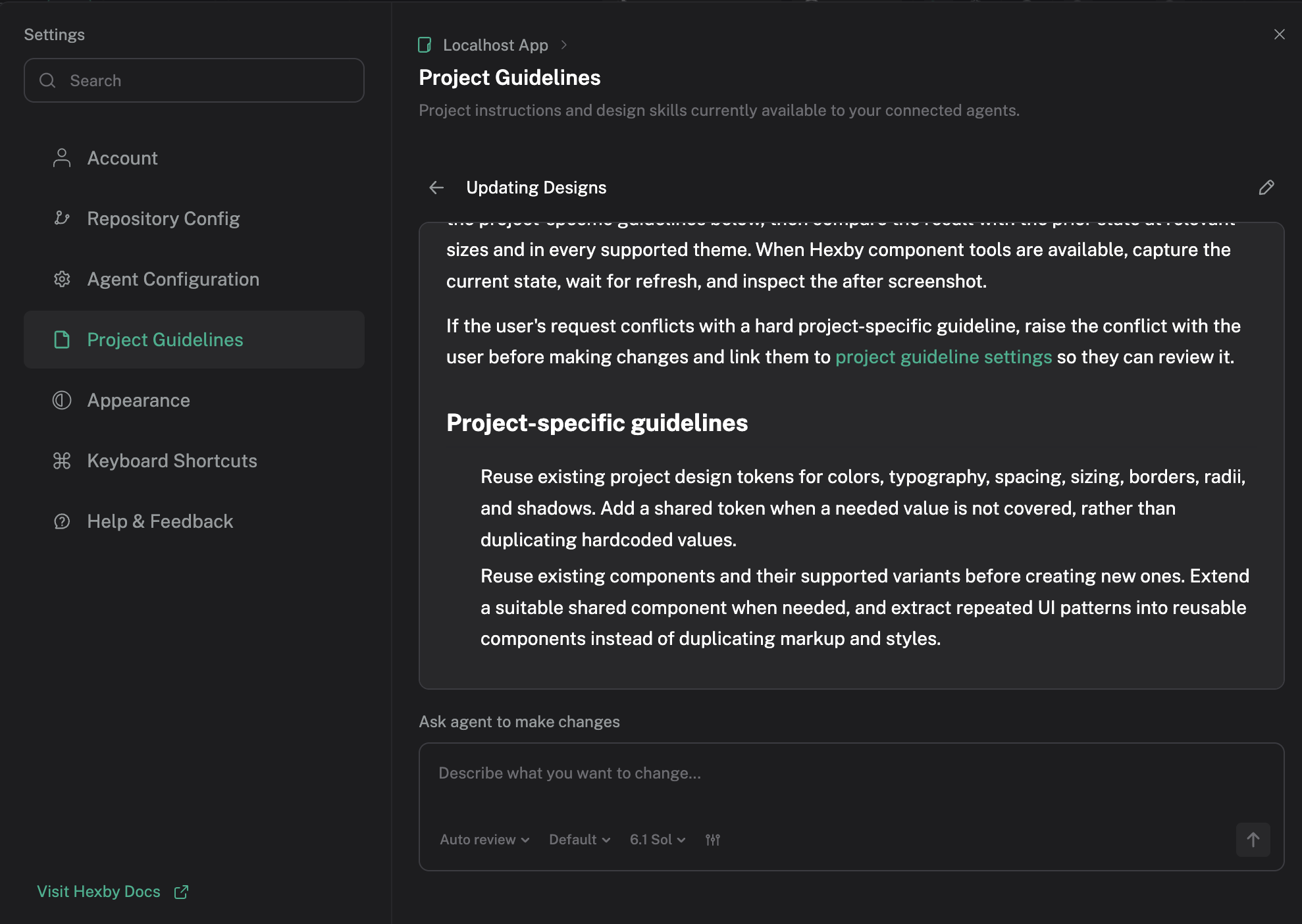
Hexby helps you explore the pages and components that make up your application, making it easier to understand how shared UI elements fit into the product. You can identify areas for refinement, explore changes to reusable components and work with your AI coding agent to implement improvements across the interface. This supports more consistent UI iteration within your existing codebase. You can learn how to give your AI agent design guidelines for consistent UI changes here.
Hexby gives teams a visual workspace for reviewing UI changes before they become part of the main product. You can compare the updated interface with the existing version, inspect proposed changes and collaborate with teammates on the result. When changes are ready, they can be handed back through your supported repository workflow for developer review and merging. You can learn how to review UI changes and hand them off for merging here.
Get started
Connect your codebase and see your product differently.


